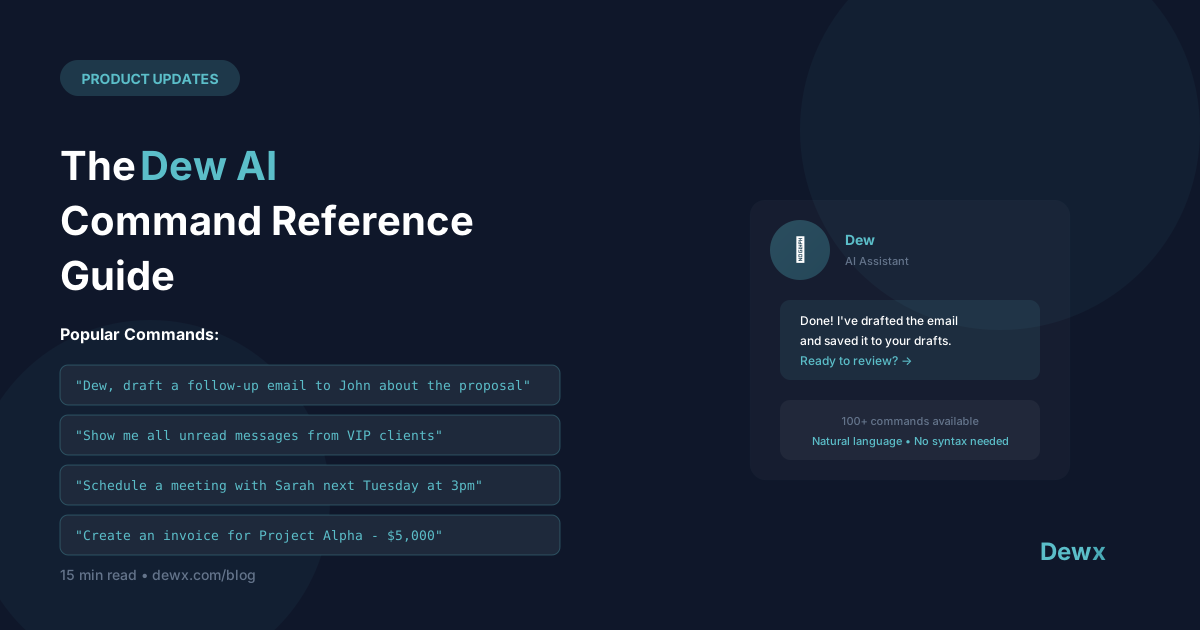
The Dew AI Command Reference Guide
Dew is your AI business assistant. Here's everything you can ask.
Communication Commands
Drafting Messages
- "Draft an email to [contact] about [topic]"
- "Write a follow-up to [contact]"
- "Reply to this message professionally"
- "Draft a thank you note for [person]"
Summarizing
- "Summarize my conversation with [contact]"
- "What did we discuss with [company] last month?"
- "Give me key points from this thread"
Searching
- "Find all messages from [contact]"
- "Search for messages about [topic]"
- "Show unread messages from today"
Calendar Commands
Scheduling
- "Schedule a call with [contact] next week"
- "Find a time for a 30-minute meeting with [person]"
- "Block my calendar tomorrow morning"
- "Move my 2pm meeting to Thursday"
Viewing
- "What's on my calendar today?"
- "When is my next meeting with [contact]?"
- "Show me next week's schedule"
Reminders
- "Remind me to call [contact] tomorrow"
- "Set a reminder for [task] at [time]"
CRM Commands
Contacts
- "Create a contact for [name] at [company]"
- "Show me [contact]'s profile"
- "Add a note to [contact]: [note]"
- "What's my history with [contact]?"
Pipeline
- "Show my pipeline"
- "What deals are closing this month?"
- "Move [deal] to negotiation stage"
- "Update [deal] value to [amount]"
Tasks
- "Create a task to follow up with [contact]"
- "What tasks are due today?"
- "Mark [task] as complete"
Reporting Commands
Quick Stats
- "How many deals did I close this month?"
- "What's my pipeline value?"
- "How many messages did I send this week?"
Insights
- "Who haven't I talked to recently?"
- "Which deals are at risk?"
- "Show me my busiest contacts"
Productivity Commands
Daily Briefing
- "Give me my morning briefing"
- "What's important today?"
- "Catch me up on overnight messages"
Prioritization
- "What should I focus on today?"
- "Prioritize my inbox"
- "What's urgent?"
Best Practices
Be Specific
Less effective: "Send an email" More effective: "Draft an email to Sarah about rescheduling our call to next Tuesday"
Include Context
Less effective: "Follow up" More effective: "Draft a follow-up email to John about the proposal I sent last week"
Use Names
Dew knows your contacts. Use their names for better results.
Iterate
If the first response isn't right, ask Dew to adjust:
- "Make it shorter"
- "More formal"
- "Add a call to action"
Tips by Role
Sales
- "Show deals closing this week"
- "Draft a follow-up for all proposals sent last week"
- "Who should I call today?"
Consultants
- "Schedule discovery call with [lead]"
- "Draft proposal for [client project]"
- "What's outstanding with [client]?"
Agency Owners
- "Summarize status of all active clients"
- "Draft check-in emails for all retainer clients"
- "Who needs attention?"
Learning More
Dew learns from your patterns. The more you use it:
- Drafts match your style better
- Suggestions become more relevant
- Commands require less detail
Feedback
Help Dew improve:
- Click thumbs up/down on suggestions
- Report issues via in-app feedback
- Request new capabilities
Frequently Asked Questions
Does Dew understand natural language or do I need specific commands?
Natural language. Dew understands intent, not keywords. "Send an email to John about the meeting" and "Draft message for John regarding our upcoming meeting" both work. Be conversational—Dew adapts to your style.
Can Dew access my files and documents?
Dew accesses data within Dewx: contacts, conversations, deals, calendar, tasks. It doesn't access your local files, Google Drive, or other external storage (yet). Document integration is on the roadmap.
What languages does Dew support?
Dew understands and responds in English, Spanish, Portuguese, French, German, and several other major languages. Multi-language drafting (write in one language, output in another) is also supported.
How do I train Dew on my preferences?
Dew learns automatically from your interactions. Edit its drafts, and it learns your style. Use thumbs up/down on suggestions. Over time, Dew's outputs increasingly match your preferences without explicit training.
Is Dew always listening to my conversations?
No. Dew only activates when you explicitly ask it something (typing in the Dew input field). It analyzes your communication history to provide context when asked, but doesn't monitor in real-time or take autonomous actions without your prompting.
Start commanding your business. Use Dew in Dewx and see what AI-first operations feel like.
Related: Dew AI overview | AI practical guide