How to Reduce SaaS Sprawl: Consolidating Your Business Tools
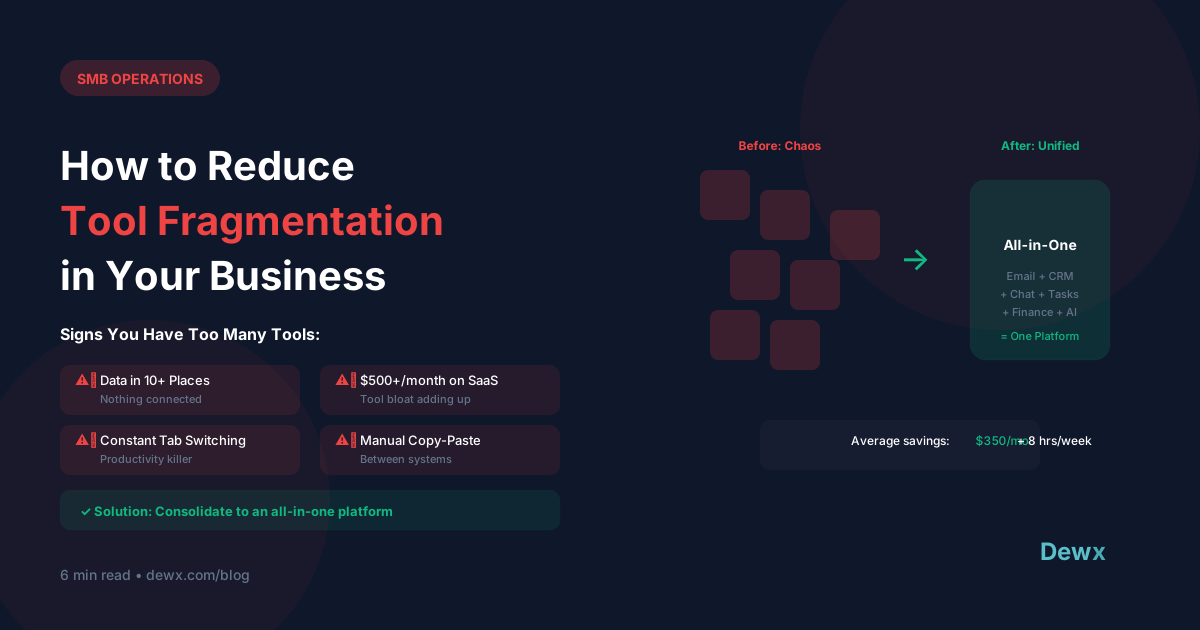
SaaS sprawl is when businesses accumulate more software subscriptions than they actually need, leading to wasted money, security risks, and productivity loss. The solution is a systematic audit followed by strategic consolidation. Most SMBs can reduce their tool count by 50%+ while improving workflows.
Key Takeaways
- Average SMB uses 80+ SaaS tools but actively needs fewer than 15
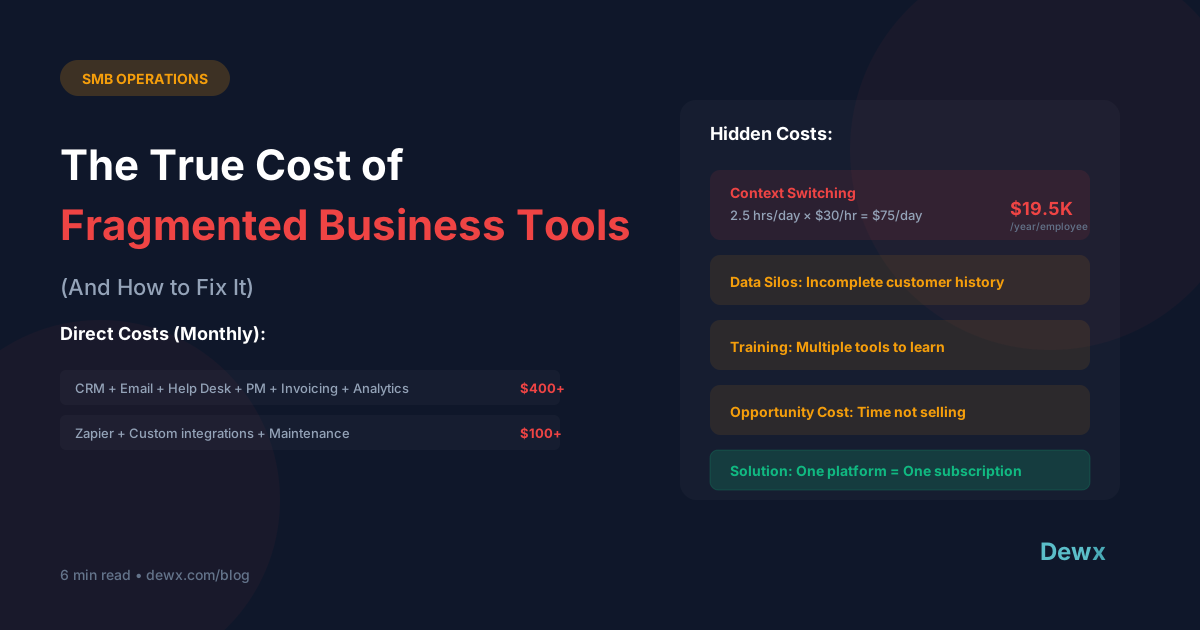
- Hidden costs: Beyond subscriptions, there's integration maintenance, training, and context switching
- Audit first: You can't consolidate what you don't know you have
- Consolidation ≠ compromise: Better tools often replace multiple mediocre ones
Introduction: The SaaS Sprawl Problem
How SaaS sprawl happens:
- Each problem gets its own tool
- Different team members have different preferences
- Free trials become forgotten subscriptions
- Nobody audits what's actually used
The result:
- Wasted budget ($thousands/year for most SMBs)
- Data spread across disconnected systems
- Security vulnerabilities (orphaned accounts)
- Integration headaches
- Constant context switching
Step 1: Audit Your Current Stack
Create a SaaS Inventory
For every tool, document:
| Field | Example |
|---|---|
| Tool name | HubSpot |
| Category | CRM |
| Monthly cost | $0 (free tier) |
| Annual cost | $0 |
| Who uses it | Sales team |
| Last active use | Yesterday |
| Integrations | Gmail, Zapier |
| Could be replaced by | - |
Find Hidden Subscriptions
Check:
- Credit card and bank statements
- Email for receipts
- Browser extensions
- Mobile app subscriptions
- Team member expense reports
- IT/admin consoles
Categorize Everything
Common categories:
- Communication (email, chat, video)
- CRM and sales
- Marketing
- Finance and accounting
- Project management
- HR and people
- Document management
- Productivity
- Industry-specific
Step 2: Evaluate Each Tool
For every tool in your inventory, answer:
Usage Questions
- How often is it actually used?
- How many people use it?
- What would happen if we canceled it tomorrow?
Value Questions
- Does it directly generate revenue or save significant time?
- Is there clear ROI?
- Is it the best tool for the job?
Overlap Questions
- Do other tools have this functionality?
- Are we paying for features we don't use?
- Could one tool replace multiple?
Scoring Matrix
| Tool | Usage Score (1-5) | Value Score (1-5) | Overlap | Decision |
|---|---|---|---|---|
| Slack | 5 | 5 | None | Keep |
| Trello | 2 | 2 | Notion does this | Eliminate |
| Zoom | 5 | 4 | Google Meet backup | Keep |
| Calendly | 5 | 5 | None | Keep |
Step 3: Identify Consolidation Opportunities
Pattern 1: Single Function Tools → Suite
Before:
- Trello (tasks)
- Google Docs (documents)
- Airtable (databases)
- Evernote (notes)
After:
- Notion (all of the above)
Savings: 3 subscriptions, multiple logins
Pattern 2: Point Solutions → Platform
Before:
- Mailchimp (email marketing)
- Typeform (forms)
- Google Analytics (tracking)
- Later (social scheduling)
After:
- HubSpot Marketing Hub (all of the above)
Savings: Multiple tools, integration headaches
Pattern 3: Communication Silos → Unified Inbox
Before:
- Gmail (email)
- WhatsApp Business (messaging)
- LinkedIn (professional networking)
- Instagram DMs (social)
- Separate apps, constant switching
After:
- Dewx (all channels in one inbox)
Savings: Context switching, missed messages
Pattern 4: Finance Fragmentation → One Platform
Before:
- QuickBooks (accounting)
- Bill.com (payments)
- Expensify (expenses)
- PayPal (invoicing)
After:
- QuickBooks Online (all finance functions)
Savings: Data reconciliation time, multiple logins
Step 4: Execute Consolidation
Migration Checklist
For each tool being eliminated:
- Export all data
- Set up equivalent functionality in new tool
- Migrate historical data where needed
- Update integrations/automations
- Notify affected users
- Provide training on new workflow
- Set transition period (both tools active)
- Cancel old subscription (after transition)
Timing Considerations
- Check contract end dates (avoid cancellation fees)
- Plan migrations during low-activity periods
- Don't migrate everything at once
- Allow adjustment time between changes
Communication
- Explain why the change is happening
- Show benefits to daily work
- Provide clear instructions
- Offer support during transition
Step 5: Prevent Future Sprawl
New Tool Approval Process
Before adding any new tool, require:
- Problem statement: What specific problem does this solve?
- Existing tool check: Can any current tool do this?
- Cost analysis: Total cost including integration/training
- ROI projection: How will this pay for itself?
- Owner assignment: Who's responsible for this tool?
Quarterly Reviews
Every 3 months, check:
- Are all tools still being used?
- Any new overlaps created?
- Any unused features we're paying for?
- Any consolidation opportunities?
Centralized Purchasing
- One person/team approves new tools
- Maintain a master tool inventory
- Negotiate enterprise agreements where possible
Common Consolidation Mistakes
- Migrating too fast: Rushing causes data loss and user frustration
- Ignoring user preferences: Forced changes create workarounds
- Choosing worst common denominator: Pick tools that excel, not just "good enough"
- Forgetting integrations: The tool might go away but integrations need updating
- No training: New tools without training = low adoption
ROI of Consolidation
Direct Savings
| Area | Typical Savings |
|---|---|
| Eliminated subscriptions | $200-2,000/month |
| Reduced admin time | 5-10 hours/month |
| Lower integration costs | $50-500/month |
| Total | $300-3,000/month |
Indirect Benefits
- Faster onboarding (fewer tools to learn)
- Better data quality (single source of truth)
- Reduced security risk (fewer attack surfaces)
- Improved collaboration (everyone in same tools)
Dewx's Approach to Consolidation
Dewx was built to replace tool sprawl for communication and operations:
Replaces:
- Separate email client
- WhatsApp Business
- LinkedIn messaging
- Instagram DMs
- Basic CRM
- Simple invoicing
With:
- One unified platform
- AI that works across all functions
- Single source of truth for customer data
Instead of 6+ tools, one platform. That's the consolidation promise.
Frequently Asked Questions
How do I find all the SaaS tools my business is paying for?
Start with credit card and bank statements from the last 12 months—search for recurring charges. Check email for receipts and subscription confirmations. Review browser extensions and mobile app subscriptions. For teams, ask each person to list their tools. Use a spreadsheet template to catalog everything with name, cost, owner, and last active use date.
What's the best order to consolidate tools?
Consolidate based on pain, not alphabetical order. Start with whichever category causes the most daily friction. For most SMBs, that's communication (too many messaging apps) or project management (tasks scattered everywhere). Our operations guide suggests tackling high-frequency tools first—you'll see immediate time savings.
How long does consolidation typically take?
Plan for 2-4 weeks per major tool migration. That includes data export, setup in the new tool, parallel running period, team training, and full cutover. Don't rush—a botched migration creates more problems than it solves. For a typical SMB moving from 10+ tools to a consolidated stack, expect 2-3 months total.
What if team members resist giving up their favorite tools?
Focus on outcomes, not tools. Ask: "What does this tool help you accomplish?" Then show how the consolidated platform achieves the same outcome. Involve resisters in the evaluation process—people support decisions they helped make. Some specialized tools may genuinely be necessary; consolidation means fewer tools, not necessarily one tool.
How do I calculate ROI on consolidation?
Add up: (1) eliminated subscription costs, (2) hours saved per week × hourly rate, (3) integration maintenance eliminated, (4) reduced training costs for new hires. Most SMBs see 3-5x ROI within the first year. Dewx's free plan lets you test consolidation benefits before committing.
Ready to eliminate SaaS sprawl? Start with Dewx free and consolidate your communication, CRM, and operations into one AI-powered platform.