
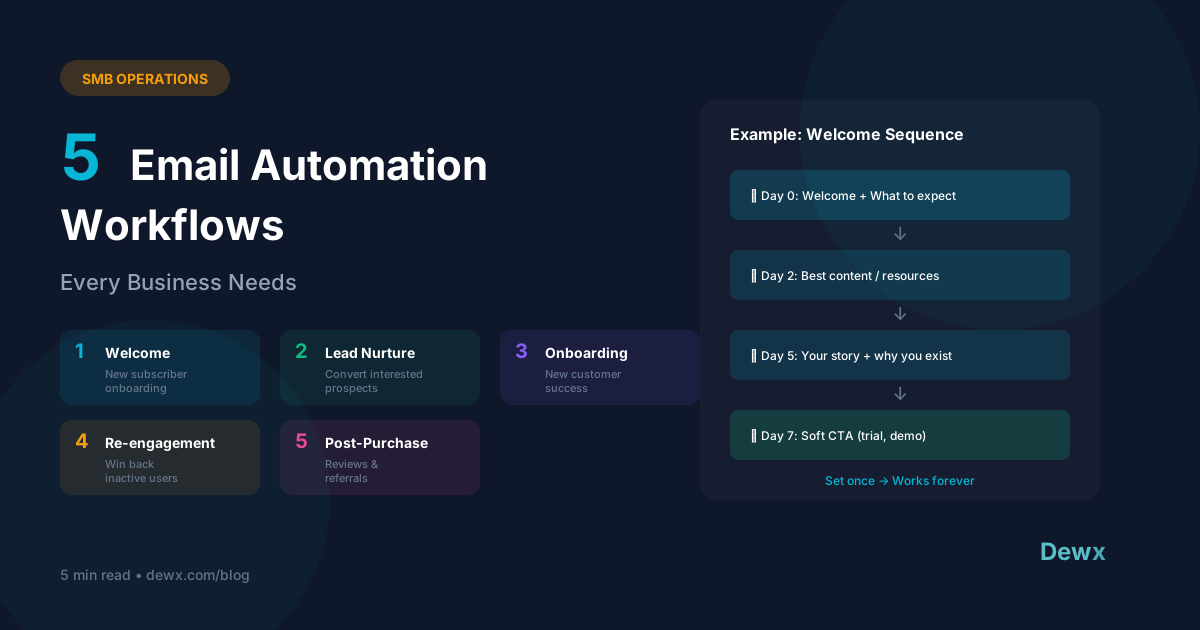
5 Email Automation Workflows Every Business Needs
Key Takeaways
- Email automation delivers 320% more revenue than non-automated campaigns according to Campaign Monitor
- The 5 essential workflows are: Welcome, Lead Nurture, Onboarding, Re-engagement, and Post-Purchase
- 80% of sales require 5+ follow-ups - automation ensures you never miss a touch point
- Personalization is key - use dynamic fields and behavioral triggers to avoid feeling robotic
- AI can now write and optimize sequences - tools like Dew draft personalized emails based on your data
Email automation is one of the highest-ROI activities you can set up. Set it once, and it works forever - nurturing leads, onboarding customers, and recovering churned users while you sleep.
But which automations actually matter? After working with hundreds of businesses, we've identified the 5 workflows that every business needs.
The ROI of Email Automation
Before diving in, let's talk numbers:
- 320% more revenue from automated emails vs. non-automated (Campaign Monitor)
- 80% of sales require 5+ follow-ups (Marketing Donut)
- Automated emails get 70.5% higher open rates than regular campaigns (Epsilon)
- Proper onboarding reduces churn by 15-25% (various SaaS benchmarks)
The case is clear: automation isn't optional.
Workflow 1: Welcome Sequence
What it is: The first emails a new subscriber receives after signing up.
Trigger: New subscriber, signup, or account creation
Structure
| Timing | Content | |
|---|---|---|
| Email 1 | Immediate | Welcome + what to expect |
| Email 2 | Day 2 | Your best content/resource |
| Email 3 | Day 4 | Your story + why you exist |
| Email 4 | Day 7 | Soft CTA (free trial, demo, etc.) |
Example Email 1 Template
Subject: Welcome to [Company]! Here's what's next

Hi [First Name],

Thanks for joining us! You're now part of [X] people who [value proposition].

Here's what you can expect:
- [Weekly/daily] [content type] every [day]
- Exclusive [offers/insights] just for subscribers
- First access to [new features/products]

To get started, check out [link to key resource].

Any questions? Just reply to this email.

[Sign off]
Why it matters
First impressions set the tone. A good welcome sequence:
- Establishes expectations
- Builds familiarity with your brand
- Starts the relationship on a high note
- Drives immediate engagement
Workflow 2: Lead Nurture Sequence
What it is: Automated follow-up for leads who show interest but don't convert immediately.
Trigger: Lead downloads content, visits pricing page, or requests info but doesn't buy
Structure
| Timing | Content | |
|---|---|---|
| Email 1 | Day 3 | Value-add content related to their interest |
| Email 2 | Day 7 | Case study or social proof |
| Email 3 | Day 14 | Address common objections |
| Email 4 | Day 21 | Soft urgency (limited offer/time) |
| Email 5 | Day 30 | Direct ask with clear CTA |
Example Email 3 Template (Objection Handling)
Subject: Heard this before?

Hi [First Name],

When we talk to [target audience], we often hear concerns like:

"[Common objection 1]"
- Here's how we address that: [solution]

"[Common objection 2]"
- Here's the reality: [data/proof]

"[Common objection 3]"
- What we've found: [insight]

[Client name] had the same concerns. Here's what happened after they started: [brief result].

Worth a quick chat to see if [product] could work for you?

[Sign off]
Why it matters
- 80% of sales require 5+ follow-ups (Marketing Donut)
- Most reps give up after 2 touches
- Automation ensures consistent follow-up without manual effort
- Each touch builds familiarity and trust
Workflow 3: Onboarding Sequence
What it is: Emails that help new customers succeed with your product/service.
Trigger: New customer, trial start, or first purchase
Structure
| Timing | Content | |
|---|---|---|
| Email 1 | Immediate | Quick start guide |
| Email 2 | Day 1 | First key action to take |
| Email 3 | Day 3 | Feature highlight |
| Email 4 | Day 7 | Tips from power users |
| Email 5 | Day 14 | Check-in + feedback request |
Example Email 2 Template (First Action)
Subject: Do this first (takes 2 minutes)

Hi [First Name],

The customers who get the most from [Product] have one thing in common: they [key first action] within their first day.

It takes about 2 minutes, and it [benefit].

Here's how:
1. [Step 1]
2. [Step 2]
3. [Step 3]

[Button: Do This Now]

Need help? Reply to this email or check our [help center link].

[Sign off]
Why it matters
- Proper onboarding reduces churn by 15-25%
- Customers who complete key actions stick longer
- Self-service onboarding scales without support cost
- Early engagement predicts long-term retention
Workflow 4: Re-engagement Sequence
What it is: Win-back campaign for inactive subscribers or lapsed customers.
Trigger: No engagement (opens/clicks) for 30-90 days, or no purchase for X days
Structure
| Timing | Content | |
|---|---|---|
| Email 1 | Day 1 | "We miss you" + what's new |
| Email 2 | Day 5 | Special incentive to return |
| Email 3 | Day 10 | Quick survey: what went wrong? |
| Email 4 | Day 15 | Final "stay or go" email |
Example Email 4 Template (Final Email)
Subject: Should we part ways?

Hi [First Name],

We haven't heard from you in a while, and we want to respect your inbox.

If you're still interested in [topic/product], no action needed - you'll keep receiving [content type].

But if you'd like to unsubscribe, just [click here].

Either way, we wish you the best.

P.S. If there's something specific you're looking for that we're not providing, reply and let us know. We're always improving.

[Sign off]
Why it matters
- It costs 5x more to acquire a new customer than retain existing
- Clean lists improve deliverability
- Some customers just need a nudge
- Exit surveys provide valuable feedback
Workflow 5: Post-Purchase Sequence
What it is: Emails that maximize customer value after a purchase.
Trigger: Completed purchase or subscription start
Structure
| Timing | Content | |
|---|---|---|
| Email 1 | Immediate | Thank you + confirmation |
| Email 2 | Day 3 | How to get the most value |
| Email 3 | Day 7 | Request for review/feedback |
| Email 4 | Day 14 | Complementary product/upsell |
| Email 5 | Day 30 | Referral request |
Example Email 3 Template (Review Request)
Subject: Quick favor? (30 seconds)

Hi [First Name],

You've been using [Product] for about a week now. How's it going?

If you have 30 seconds, we'd love a quick review:

[Button: Leave a Review]

Your feedback helps other [target audience] discover [Product] - and helps us improve.

Thanks for being a customer!

[Sign off]
Why it matters
- Existing customers are 9x more likely to convert vs. new leads
- Reviews drive social proof for new customers
- Upsells have higher margins than new sales
- Referrals are the highest-quality leads
Making Automation Feel Human
The biggest risk with automation is sounding robotic. Here's how to keep it human:
Personalization Beyond [First Name]
- Reference their specific action: "Since you downloaded our pricing guide..."
- Mention their industry or company size
- Use behavioral data: "We noticed you've been using [feature] a lot..."
Conversational Tone
- Write like you're talking to a friend
- Use "you" and "we" instead of "customers" and "the company"
- Ask questions, don't just broadcast
Smart Segmentation
- Different sequences for different personas
- Adjust messaging based on engagement level
- Remove from sequences when they convert
Clear Exit Ramps
- Easy unsubscribe in every email
- Respect preferences immediately
- Option to reduce frequency instead of full unsubscribe
Automation with AI: The Next Level
Traditional automation is "if this, then that." AI-powered automation is smarter:
What AI Can Do
- Draft personalized emails based on recipient data and context
- Optimize send times based on individual engagement patterns
- Suggest content based on what similar segments responded to
- Predict outcomes - which leads are likely to convert?
Dew + Email Automation
Dewx takes automation further:
- Connect Gmail or Outlook for unified email management
- Dew drafts personalized sequences - "Create a follow-up sequence for leads who requested a demo"
- Track opens and responses in your unified inbox
- Automatic CRM updates - GTM Hub logs every interaction
- AI-suggested follow-ups based on engagement
Sign up free and experience AI-powered email automation.
Frequently Asked Questions
How many emails should be in each sequence?
4-6 emails is the sweet spot for most sequences. Enough to make an impact, not so many that you annoy people. Test and adjust based on engagement.
What's the ideal timing between emails?
Varies by sequence. Welcome emails can be daily at first, while nurture sequences might be weekly. Match the urgency of the customer journey.
Should I use plain text or designed emails?
Personal emails (sales outreach, follow-ups) work better as plain text. Marketing emails (newsletters, promotions) can be designed. Test both.
How do I measure success?
Key metrics: Open rate (25%+ good), click rate (2-5% good), conversion rate, and unsubscribe rate (<0.5%). Compare automated vs. non-automated performance.
Can I automate too much?
Yes. Automation should feel personal. If you're sending more than 2-3 automated emails per week to the same person, you're probably over-doing it.
Related: How Dewx replaces your lead gen agency | How Dewx replaces your marketing agency | GTM Hub for Sales


