Getting Started with Business Automation
Automation isn't just for tech companies. Here's how any business can get started.
What is Business Automation?
Using technology to perform repetitive tasks without manual effort.
Examples:
- Automatic email responses
- Scheduled social posts
- Invoice reminders
- Lead notifications
- Data synchronization
Why Automate?
Time Savings
Tasks that take minutes daily add up to hours weekly.
Consistency
Automation doesn't forget, doesn't vary, doesn't make typos.
Scale
Handle more volume without adding people.
Focus
Free humans for work that requires judgment.
Starting Simple
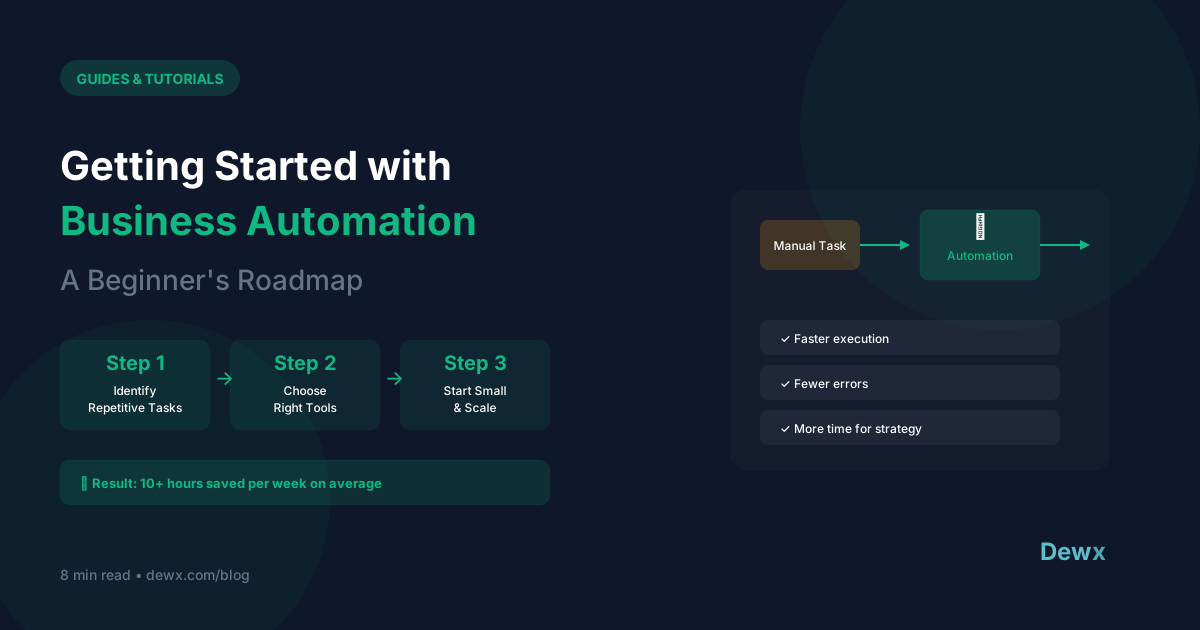
Rule 1: Start with ONE automation
Don't try to automate everything. Pick one thing.
Rule 2: Choose high-frequency, low-complexity
- Happens often (daily/weekly)
- Has clear triggers and actions
- Doesn't require judgment calls
Rule 3: Test before trusting
Run in test mode. Verify it works. Then go live.
Your First Automation: Email Auto-Response
The Setup:
Trigger: New email to support@yourcompany.com Action: Send automatic acknowledgment
Example message: "Thanks for reaching out! We've received your message and will respond within 24 hours. For urgent matters, call [phone]."
How to Implement:
Gmail: Settings → Vacation responder (limited) or use filters + templates
Outlook: Automatic replies → Set conditions
Dedicated tool: Help desk software with auto-response
Level 2: Workflow Automation
Once comfortable, try these:
Lead Notification
Trigger: Form submission Action: Email to sales team + create CRM contact
Invoice Reminder
Trigger: Invoice unpaid for 7 days Action: Send reminder email
Meeting Follow-up
Trigger: Calendar meeting ends Action: Create follow-up task
Automation Tools
No-Code Options:
- Zapier: Connect 5,000+ apps
- Make (Integromat): Visual workflows
- IFTTT: Simple if-this-then-that
Built-In Automation:
- CRMs: HubSpot, Pipedrive
- Email: Mailchimp, ConvertKit
- All-in-one: Dewx (AI-powered)
Automation Building Blocks
Triggers (What starts it)
- New email received
- Form submitted
- Time/schedule
- Status change
- Action taken
Actions (What happens)
- Send email
- Create record
- Update field
- Send notification
- Start next automation
Conditions (When it applies)
- If field equals X
- If time between Y
- If contains keyword
- If tag applied
Common First Automations
- Welcome email when someone signs up
- Lead alert when form submitted
- Task reminder for follow-ups
- Data sync between tools
- Report delivery on schedule
Mistakes to Avoid
1. Over-Automating
Not everything should be automated. Keep human touch where it matters.
2. No Testing
Always test with fake data before going live.
3. Set and Forget
Automations need monitoring. Things break.
4. Complex First Attempts
Start simple. Add complexity gradually.
5. No Documentation
Write down what your automations do. Future you will thank you.
The Dewx Advantage
Traditional automation requires:
- Choosing tools
- Connecting APIs
- Building workflows
- Maintaining integrations
Dewx includes automation built-in:
- Dew AI understands natural language commands
- Say "follow up with leads who haven't responded"
- Automation happens without configuration
- AI adapts to your patterns
Frequently Asked Questions
Do I need technical skills to automate?
Not for most modern tools. No-code platforms like Zapier use visual builders. Dewx goes further—just tell Dew what you want in plain English. Technical skills help for complex automations, but most business automations require only logical thinking.
What should I automate first?
Start with high-frequency, low-complexity tasks: email auto-responses, lead notifications, meeting reminders, data syncing between tools. These provide quick wins and build confidence before tackling complex workflows.
How do I avoid automation breaking?
Test thoroughly before going live. Build in error handling (what happens when something fails?). Monitor automations regularly—don't set and forget. Document what each automation does. Start simple and add complexity gradually.
What's the ROI of automation?
Calculate time saved × hourly cost × frequency. Example: A task taking 5 minutes done 10x daily = 50 minutes/day = ~17 hours/month. At $50/hour, that's $850/month of time you could recover. Even 50% automation efficiency means significant savings.
When does automation become counterproductive?
When you automate things that should require judgment. When maintenance overhead exceeds manual task time. When automations break frequently and erode trust. When you're automating bad processes instead of fixing them. Automate good processes; improve bad ones first.
Start automating the easy way. Try Dewx free and tell Dew what you want in plain English.
Related: Dew AI capabilities | Workflow automation guide