Best All-in-One Business Software for Solopreneurs 2026
The best all-in-one business software for solopreneurs balances functionality with simplicity. Top contenders in 2026 are HubSpot (for marketing-focused businesses), Notion (for knowledge workers), Monday.com (for project-based businesses), and Dewx (for communication-heavy businesses). Your best choice depends on whether you need more CRM, project management, or communication features.
Key Takeaways
- Best for marketing/sales focus: HubSpot Free CRM
- Best for knowledge work: Notion
- Best for project-based work: Monday.com or ClickUp
- Best for communication-heavy businesses: Dewx
- Avoid: Building Frankenstein stacks with 10+ tools
Introduction: The Solopreneur Tool Problem
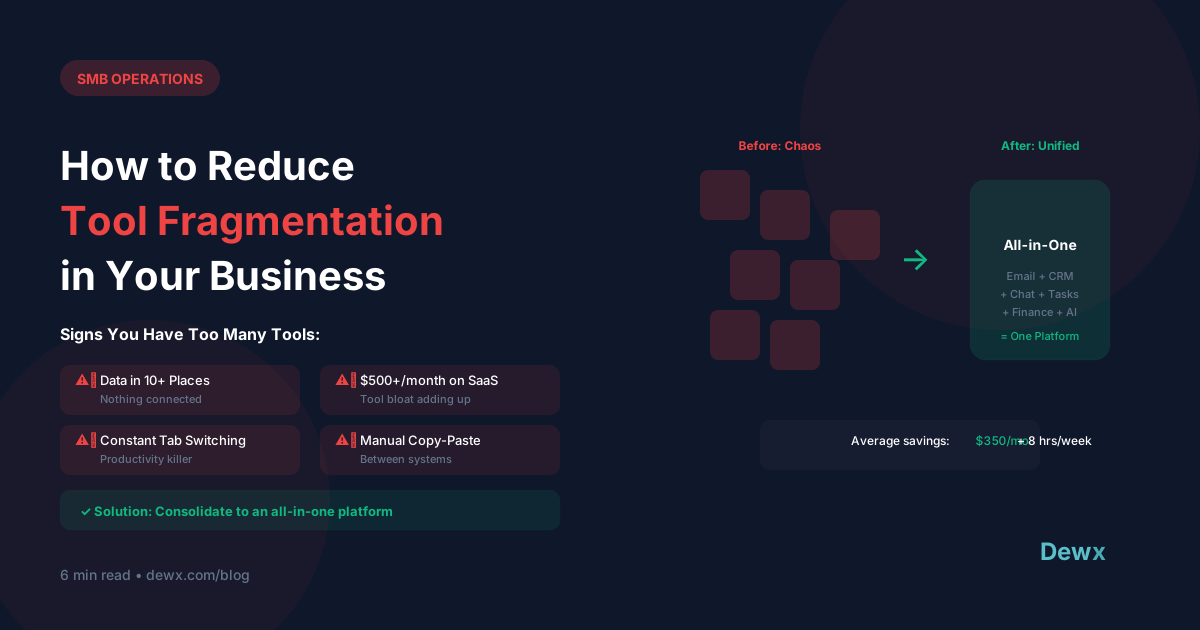
The average solopreneur uses 7-12 different software tools. Each has a learning curve, monthly fee, and integration challenge. The result: more time managing tools than doing work.
All-in-one platforms promise to solve this by combining multiple functions. But "all-in-one" means different things to different tools. This guide helps you find the right fit.
What Solopreneurs Actually Need
Before comparing tools, clarify your needs:
Core functions (almost everyone needs):
- Contact/customer management (CRM)
- Communication (email, maybe messaging)
- Basic financial tracking (invoicing, expenses)
- Task/project management
- Note-taking/documentation
Depends on business type:
- Marketing automation
- Scheduling/appointments
- E-commerce/payments
- Proposals/contracts
- Team collaboration (if you have contractors)
Top All-in-One Platforms Compared
HubSpot Free CRM
What it is: Marketing, sales, and service software with a generous free tier.
Strengths:
- Truly free CRM (not a limited trial)
- Contact management and deal tracking
- Email marketing (with limits)
- Meeting scheduler
- Live chat widget
- Forms and landing pages
Limitations:
- No invoicing (need separate tool)
- Limited automation on free tier
- Gets expensive when upgrading
- Marketing-centric (less operational)
Best for: Service businesses focused on marketing and sales.
Pricing: Free forever tier, paid starts at $20/month
Notion
What it is: Flexible workspace combining notes, databases, wikis, and project management.
Strengths:
- Infinitely customizable
- Great for documentation
- Templates for everything
- Database functionality
- Works as simple CRM
- Affordable pricing
Limitations:
- Not a true CRM (no pipeline view by default)
- No built-in communication
- No invoicing
- DIY approach to everything
Best for: Knowledge workers, consultants, content creators who value flexibility.
Pricing: Free personal, $10/month for Pro
Monday.com
What it is: Work management platform with visual project tracking.
Strengths:
- Visual, intuitive interface
- Good for project-based work
- Basic CRM capabilities
- Automation available
- Integrations with many tools
- Mobile apps
Limitations:
- No invoicing
- No built-in communication
- Gets expensive with add-ons
- Can be overkill for simple needs
Best for: Agencies, freelancers with multiple projects, anyone visual.
Pricing: Free for 2 users, paid starts at $9/seat/month
ClickUp
What it is: Productivity platform aiming to replace multiple tools.
Strengths:
- Feature-rich (almost too much)
- Docs, tasks, goals, time tracking
- Whiteboards and mind maps
- CRM templates
- Generous free tier
Limitations:
- Overwhelming feature set
- No invoicing
- Performance can be slow
- Learning curve is real
Best for: Solopreneurs who want maximum features and will invest time learning.
Pricing: Free tier available, paid starts at $7/member/month
Zoho One
What it is: Suite of 40+ integrated business apps.
Strengths:
- Truly comprehensive (CRM, email, invoicing, projects, HR...)
- Integrated by design
- Affordable for what you get
- Works for scaling businesses
Limitations:
- Dated interface in some apps
- Learning curve for each app
- Can feel enterprise-y
- Quality varies across apps
Best for: Solopreneurs planning to grow into small companies.
Pricing: $45/user/month for all apps
Dewx
What it is: Business operating system combining communication, CRM, and operations.
Strengths:
- Unified inbox (email, WhatsApp, LinkedIn, Instagram)
- Built-in CRM
- AI assistant for automation
- Invoicing and finances
- Designed for SMBs
Limitations:
- Newer platform
- Newer platform
- Less established ecosystem
Best for: Communication-heavy businesses wanting one platform.
Pricing: Free Solo plan, paid plans from $99/mo
Comparison Matrix
| Platform | CRM | Comms | Invoicing | Projects | Price (Solo) |
|---|---|---|---|---|---|
| HubSpot | ✅ | ⚠️ | ❌ | ❌ | Free |
| Notion | ⚠️ | ❌ | ❌ | ✅ | $10/mo |
| Monday.com | ⚠️ | ❌ | ❌ | ✅ | $9/mo |
| ClickUp | ⚠️ | ❌ | ❌ | ✅ | Free-$7/mo |
| Zoho One | ✅ | ✅ | ✅ | ✅ | $45/mo |
| Dewx | ✅ | ✅ | ✅ | ⚠️ | Free plan |
✅ = Strong feature, ⚠️ = Basic/workaround, ❌ = Not included
Decision Framework
Choose HubSpot If:
- Marketing and sales are your priority
- You want a mature, established platform
- Free tier covers your needs
- You'll add other tools for invoicing/projects
Choose Notion If:
- Flexibility matters more than out-of-box features
- You're comfortable building your own systems
- Documentation is a core need
- You're okay adding other tools
Choose Monday/ClickUp If:
- Project management is central to your work
- You're visual and like boards/timelines
- You manage multiple clients/projects simultaneously
- You'll add other tools for CRM/invoicing
Choose Zoho One If:
- You want everything in one ecosystem
- You're planning to hire eventually
- You need invoicing and accounting built-in
- You can handle a learning curve
Choose Dewx If:
- Customer communication is your biggest challenge
- You message across multiple platforms
- You want AI assistance built-in
- You want an AI-first platform
The Minimum Viable Stack
If no single all-in-one works, here's a lean stack:
| Function | Tool | Price |
|---|---|---|
| CRM | HubSpot Free | Free |
| Projects/Tasks | Notion | $10/month |
| Invoicing | Wave | Free |
| Communication | Gmail + Dewx | Free |
| Scheduling | Calendly | Free |
Total: $10/month or less
Better than a 10-tool mess, while giving you room to consolidate later.
Final Recommendation
For most solopreneurs in 2026:
- Start with a simple stack (HubSpot + Notion + Wave)
- Notice where you spend most time/frustration
- Choose your all-in-one based on that friction point
- Consolidate gradually, not all at once
Don't chase the perfect all-in-one. Chase the right 80% solution for your specific business.
Frequently Asked Questions
Is it better to use one all-in-one tool or several specialized tools?
For solopreneurs, consolidated tools usually win. Each additional tool adds login friction, data silos, and integration complexity. The 80/20 rule applies: a platform that does 80% of what you need well beats five tools that each do 100% of their narrow function. Exceptions: if a specialized tool directly generates revenue (like industry-specific software), keep it. For everything else, consolidation saves time.
What's the real cost of using too many tools?
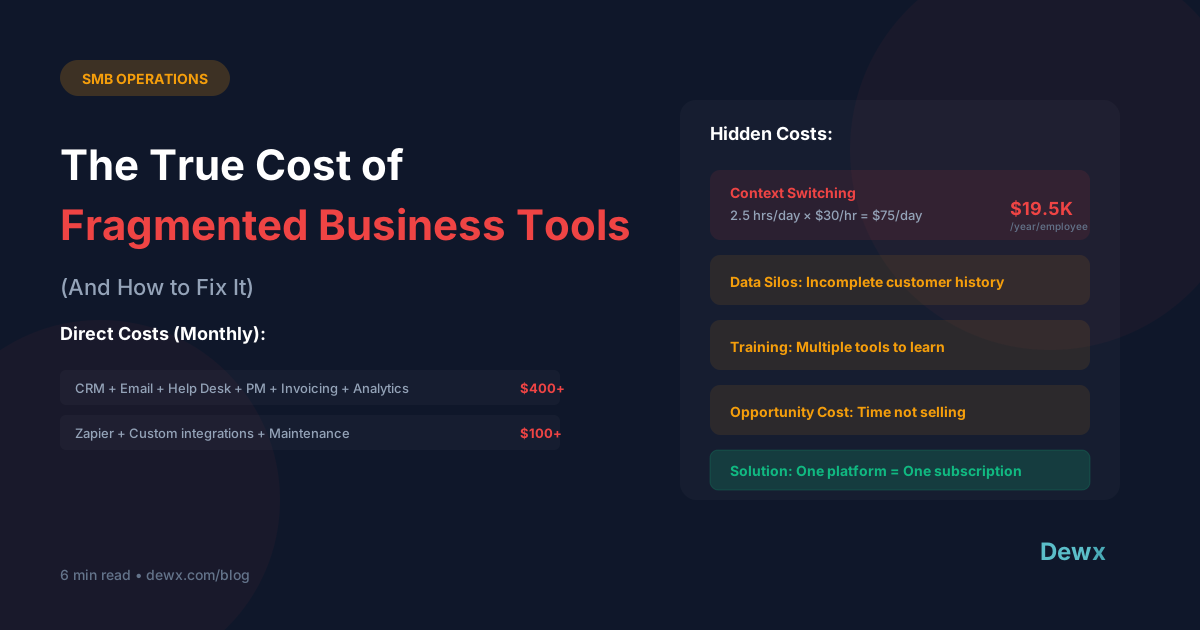
Beyond subscription fees, count context-switching time (studies show 23 minutes to refocus after each switch), integration maintenance, training new tools, and data sync issues. A solopreneur using 10 tools at $20/month average spends $2,400/year on subscriptions—but may lose 5+ hours weekly to tool management. That hidden cost often exceeds the subscription cost.
How do I migrate from multiple tools to one platform?
Move one function at a time, not everything at once. Start with your most painful friction point. Export data from the old tool, import to the new one, run both in parallel for 2 weeks, then cut over completely. Our operations guide covers migration checklists for common business functions.
What if no single tool does everything I need?
That's normal. Aim for 2-3 tools that cover your needs with minimal overlap, not one tool that does everything poorly. The ideal stack: one platform for your core workflow (communication for service businesses, projects for agencies), one for finances, one for documentation. Dewx covers communication, CRM, and operations—you might just need to add a specialized invoicing tool.
Should I pick tools based on current needs or future growth?
Prioritize current needs with one exception: avoid tools that can't scale. A free CRM that maxes out at 100 contacts will force a painful migration later. Choose tools with upgrade paths you can grow into. Dewx's pricing tiers are designed for this—start free, add features as you grow.
Ready to simplify your tool stack? Start with Dewx free and consolidate your communication, CRM, and operations into one platform.