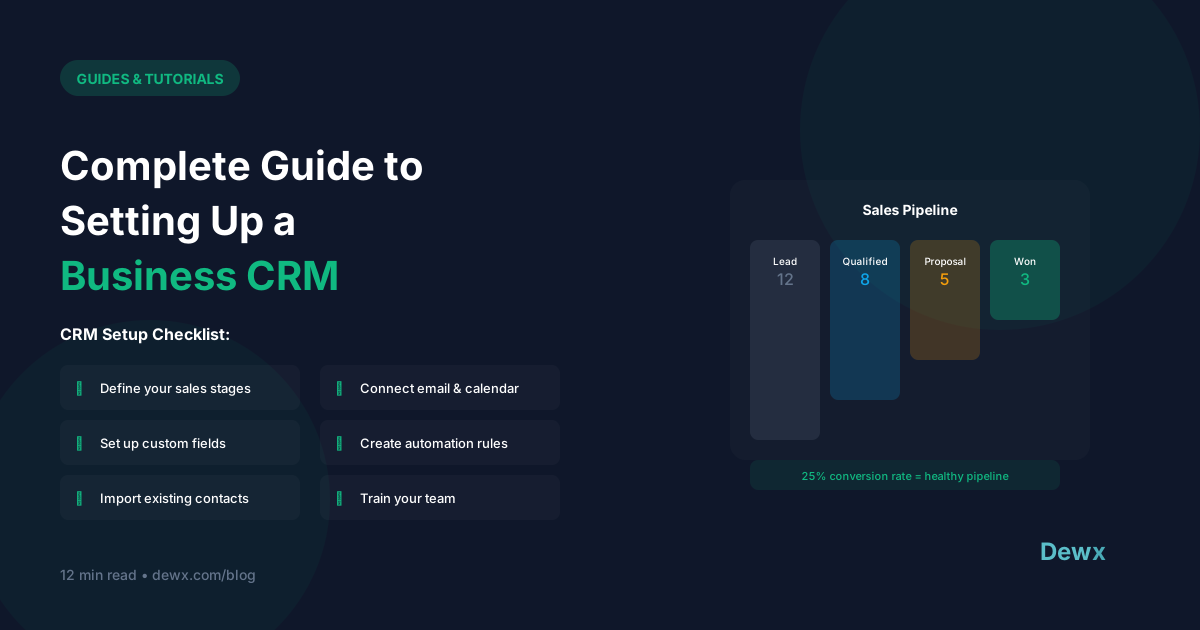
Complete Guide to Setting Up a Business CRM
A CRM is the backbone of customer relationships. Here's how to set one up right.
What is a CRM?
Customer Relationship Management (CRM) is software that:
- Tracks all customer interactions
- Manages sales pipeline
- Stores contact information
- Enables team collaboration
- Provides insights and reporting
Choosing Your CRM
Questions to Ask:
Team Size
- Solo/small: Simpler is better
- Growing team: Need collaboration features
- Large: Enterprise features
Budget
- Free: HubSpot Free, Zoho Free
- Budget: Pipedrive, Less Annoying CRM
- Mid-tier: HubSpot Starter, Salesforce Essentials
- Enterprise: Salesforce, HubSpot Enterprise
Integration Needs
- What tools must connect?
- Email integration critical?
- Marketing automation needed?
Complexity Tolerance
- Want simplicity? Pipedrive, Less Annoying
- Need customization? Salesforce, HubSpot
CRM Comparison
| CRM | Best For | Starting Price |
|---|---|---|
| HubSpot | Growing businesses | Free - $50/mo |
| Pipedrive | Sales-focused teams | $15/user/mo |
| Salesforce | Enterprise | $25/user/mo |
| Zoho | Budget-conscious | Free - $20/mo |
| Dewx GTM | Unified platform users | Part of Dewx |
CRM Setup: Step-by-Step
Step 1: Define Your Pipeline (Day 1)
Create stages that match YOUR sales process:
Example B2B Pipeline:
- Lead → 2. Qualified → 3. Meeting → 4. Proposal → 5. Negotiation → 6. Won/Lost
Example Service Business:
- Inquiry → 2. Consulted → 3. Quoted → 4. Awaiting Decision → 5. Booked/Lost
Step 2: Customize Fields (Day 1-2)
Add fields you'll actually use:
- Contact: Phone, email, company, role
- Company: Size, industry, location
- Deal: Value, close date, probability
- Custom: Anything specific to your business
Tip: Start minimal. Add fields as you need them.
Step 3: Import Existing Data (Day 2-3)
Prepare your data:
- Export from current system/spreadsheet
- Clean duplicates and errors
- Map fields to CRM fields
- Import in batches
- Verify accuracy
Step 4: Set Up Integrations (Day 3-4)
Connect essential tools:
- Email (Gmail/Outlook)
- Calendar
- Communication tools
- Marketing platform
Step 5: Create Workflows (Day 4-5)
Basic automations:
- New lead notification
- Follow-up reminders
- Deal stage change triggers
- Task creation rules
Step 6: Train Your Team (Day 5-7)
Cover:
- Basic navigation
- Adding/editing contacts
- Managing deals
- Using reports
- When to log activities
CRM Best Practices
Data Hygiene
- Enter data immediately (not "later")
- Use consistent formatting
- Regular duplicate cleanup
- Archive old records
Activity Logging
- Log calls and emails
- Note key conversation points
- Set follow-up tasks
- Track touchpoints
Pipeline Management
- Weekly pipeline reviews
- Update deal stages promptly
- Keep close dates realistic
- Note loss reasons
Common CRM Mistakes
- Over-customizing before using it
- Not using it consistently
- Poor data entry habits
- Ignoring reports and insights
- No integration with communication
The Unified Approach
Traditional CRMs require manual data entry from your inbox.
Dewx GTM Hub integrates CRM with your unified inbox:
- Contacts auto-created from conversations
- Activities logged automatically
- Full communication history on every contact
- No data entry. Conversations become CRM data
For more on CRM alternatives, see our HubSpot alternatives guide and Salesforce alternatives guide.
Frequently Asked Questions
How long does CRM setup really take?
A basic CRM setup takes 1-2 days. Full implementation with data migration, integrations, and team training typically takes 1-2 weeks. Dewx GTM Hub speeds this up since it auto-creates contacts from your conversations—no manual import needed.
Should I customize heavily before using the CRM?
No. Start with default settings and basic customization. Use the CRM for a month to understand what you actually need. Over-customizing upfront leads to complexity you may not need. Add fields and automations based on real usage patterns.
What's the most important CRM integration?
Email integration. If your CRM doesn't sync with your inbox, you'll never keep it updated. Dewx goes further by integrating email, WhatsApp, LinkedIn, and other channels directly into the CRM—no manual logging required.
How do I get my team to actually use the CRM?
Make it useful, not burdensome. If using CRM saves time (auto-logging, quick contact lookup), people use it. If it's extra work (manual entry after every call), they won't. Choose a CRM that reduces work rather than adding it. Lead by example.
When should I upgrade from a spreadsheet to a CRM?
When you have 50+ contacts, multiple team members, or need to track conversation history. Spreadsheets break when you need activity tracking, automated follow-ups, or team collaboration. If you're questioning whether you need a CRM, you probably do.
Ready for CRM without the busywork? Try Dewx free and see your conversations become CRM data automatically.
Related: HubSpot alternatives | Pipedrive alternatives