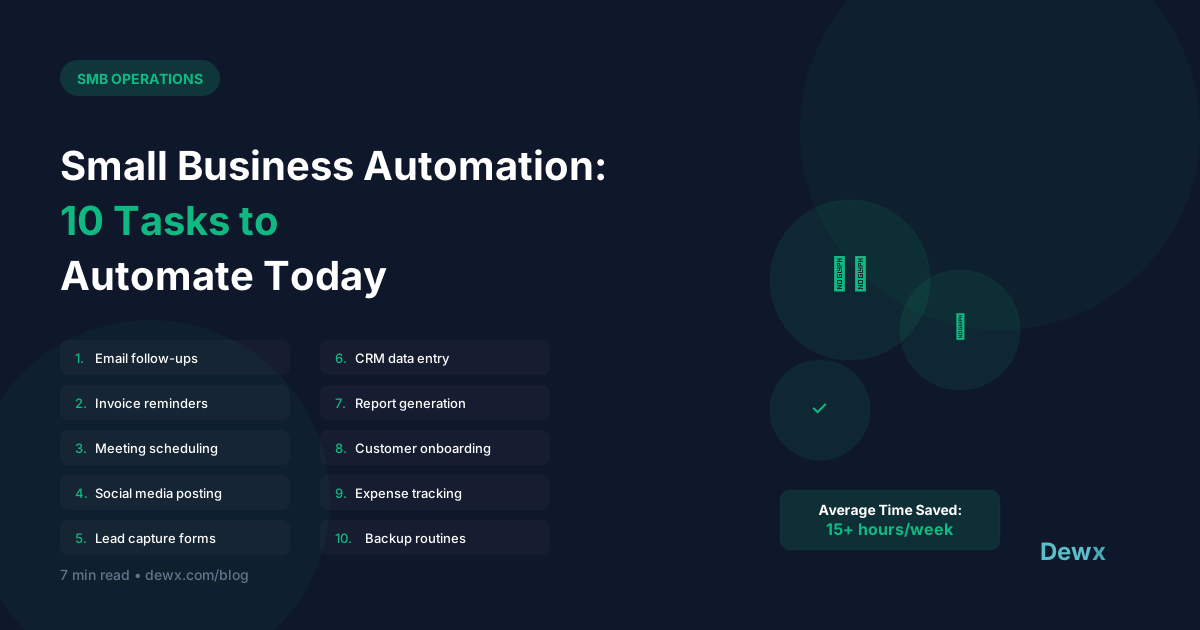
Small Business Automation: 10 Tasks to Automate Today
Time is your most valuable resource. Here are 10 tasks you're probably doing manually that should be automated.
1. Email Follow-ups
The manual way: Remembering to follow up, writing each email The automated way: Sequence triggers based on time or action
Setup tip: Create a 3-email sequence for leads who don't respond. Let automation handle the timing.
2. Meeting Scheduling
The manual way: Back-and-forth emails to find a time The automated way: Calendar booking links with availability
Setup tip: Use Calendly, Cal.com, or Dewx scheduling to let people book directly.
3. Invoice Reminders
The manual way: Checking who's overdue, sending manual reminders The automated way: Automatic reminders at set intervals
Setup tip: Schedule reminders at 7 days, 14 days, and 30 days overdue.
4. Social Media Posting
The manual way: Posting manually across platforms The automated way: Scheduled posts via Buffer, Later, or native scheduling
Setup tip: Batch content creation weekly, schedule for the month.
5. Lead Capture to CRM
The manual way: Copy-paste from forms to spreadsheet/CRM The automated way: Form submissions auto-create CRM records
Setup tip: Connect your forms directly to your CRM or use Dewx's native forms.
6. Welcome Emails
The manual way: Manually sending welcome notes to new signups The automated way: Trigger-based welcome sequence
Setup tip: Send within 5 minutes of signup for best engagement.
7. Appointment Reminders
The manual way: Calling or texting before appointments The automated way: Automated SMS/email reminders
Setup tip: Send reminders 24 hours and 1 hour before appointments.
8. Data Backup
The manual way: Remembering to backup files The automated way: Scheduled cloud backups
Setup tip: Daily incremental, weekly full backups to cloud storage.
9. Report Generation
The manual way: Pulling data and creating reports The automated way: Scheduled reports delivered to your inbox
Setup tip: Set up weekly dashboards for key metrics.
10. Customer Feedback Requests
The manual way: Sending review requests one by one The automated way: Triggered requests after purchase/delivery
Setup tip: Send 3-7 days after positive interaction.
Getting Started with Automation
Start Small
Pick the task that wastes the most time. Automate that first.
Use the Right Tools
- All-in-one: Dewx (automation built into business OS)
- Connectors: Zapier, Make (connect separate tools)
- Specialized: Calendly (scheduling), Mailchimp (email)
Test Before Full Launch
Run automations in test mode. Check for edge cases.
Monitor and Adjust
Automation isn't set-and-forget. Review performance monthly.
The Dewx Advantage
Dewx includes automation across all business functions:
- Dew AI drafts follow-up messages
- Automatic CRM updates from conversations via GTM Hub
- Scheduled reminders and tasks through OPS Hub
- Cross-channel automation triggers in Portal
For consultants and freelancers, see how these automations apply to your workflow in our consultant use case guide.
Frequently Asked Questions
Where should I start with business automation?
Start with your biggest time drain. For most businesses, that's email follow-ups or meeting scheduling. These are low-risk, high-reward automations. Once comfortable, move to CRM data entry and invoice reminders. Dewx makes it easy to start with any of these.
What's the ROI on small business automation?
Calculate it: (Hours saved per week) x (Your hourly value) x 52. For example, automating email follow-ups saves ~5 hours/week. At $50/hour value, that's $13,000/year. Most automation tools cost $500-2,000/year. ROI is typically 5-10x.
Can automation handle exceptions and edge cases?
Good automation handles 80-90% of cases automatically and flags exceptions for human review. Dew AI in Dewx can identify edge cases and route them appropriately rather than applying rigid rules to everything.
Is Zapier or an all-in-one platform better for SMBs?
Zapier connects separate tools, which adds complexity and cost. An all-in-one platform like Dewx has automation built in, so there's nothing to connect. For SMBs using 5+ tools, consolidating to an all-in-one usually makes more sense.
How do I measure automation success?
Track: (1) Time saved per task, (2) Error rate compared to manual process, (3) Customer response time improvements, (4) Employee satisfaction. Dewx analytics shows automation performance automatically. Review monthly and optimize.
Ready to automate? Start with Dewx free and save hours every week.