
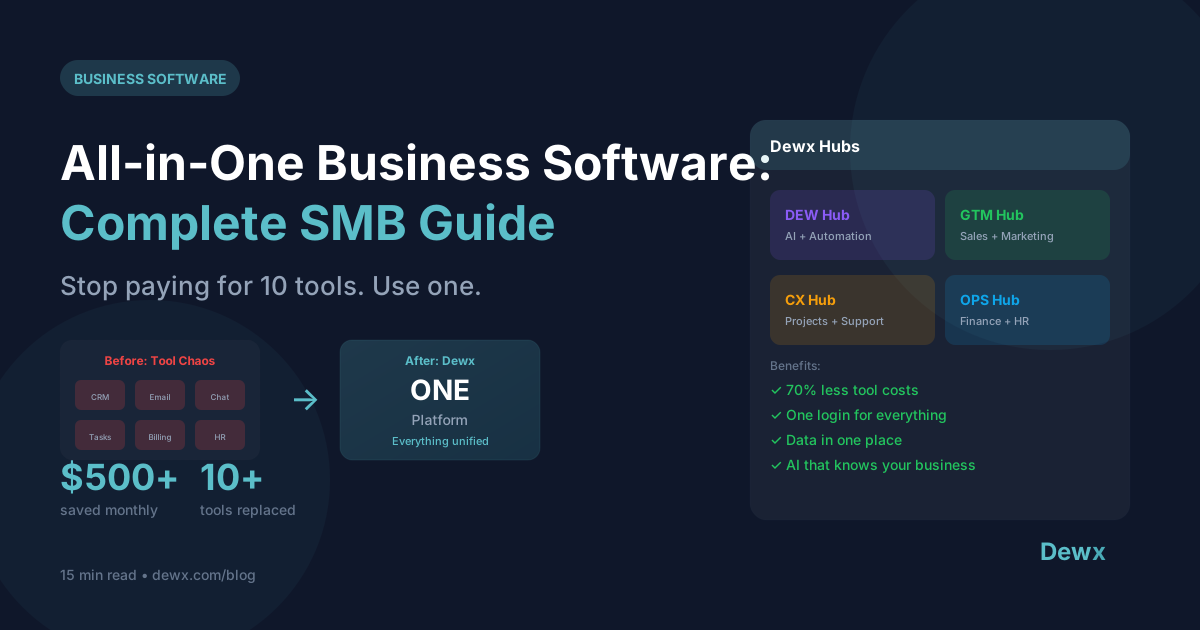
All-in-One Business Software: Why SMBs Are Ditching the Tool Stack in 2026
Key Takeaways:
- The average SMB uses 10-15 SaaS tools costing $300-800/month, plus hidden costs of integration and context switching
- All-in-one business software consolidates CRM, inbox, finance, HR, and operations into one platform with one login
- Businesses switching to unified platforms report 40-60% reduction in software costs and 2+ hours saved daily per employee
- Migration from multiple tools to all-in-one software can be completed in 2-4 weeks with proper planning
- The best all-in-one solutions include AI capabilities that work across all modules, not just individual features
Introduction: The $800/Month Problem Nobody Talks About
Picture this: It's Monday morning. You open your laptop and begin the ritual that every SMB owner knows too well.
Tab 1: Gmail for customer emails. Tab 2: WhatsApp Web for client messages. Tab 3: HubSpot for CRM updates. Tab 4: QuickBooks for invoicing. Tab 5: Slack for team communication. Tab 6: Asana for project tracking. Tab 7: Calendly for scheduling. Tab 8: Mailchimp for email marketing...
Before you've done a single productive task, you've logged into eight different platforms.
The average small and medium business uses 10-15 different SaaS tools to run their operations. Each tool seemed like a good idea at the time, a best-in-class solution for a specific problem. But collectively, they've created a fragmented nightmare that's costing you more than you realize.
Let's break down the real numbers:
| Tool Category | Common Solutions | Monthly Cost |
|---|---|---|
| CRM | HubSpot, Salesforce, Pipedrive | $50-300 |
| Email Marketing | Mailchimp, ConvertKit, ActiveCampaign | $30-150 |
| Project Management | Monday, Asana, ClickUp | $30-100 |
| Accounting/Finance | QuickBooks, Xero, FreshBooks | $30-80 |
| HR/Payroll | Gusto, BambooHR, Rippling | $40-150 |
| Messaging | Slack, Microsoft Teams | $10-30 |
| Scheduling | Calendly, Cal.com | $10-30 |
| Customer Support | Zendesk, Intercom, Freshdesk | $30-100 |
| Document Signing | DocuSign, PandaDoc | $20-50 |
| Integration/Automation | Zapier, Make | $20-100 |
| Total | $270-1,090/month |
And that's just the subscription costs. We haven't even mentioned the hidden costs that multiply this figure.
The Problem with Multiple Tools: Death by a Thousand Tabs
1. Context Switching Kills Productivity
Every time you switch between applications, your brain needs 23 minutes to fully refocus on the new task. With the average knowledge worker switching apps 1,200 times per day, that's a staggering amount of lost productivity.
The math is brutal:
- 40 app switches per hour x 8 hours = 320 switches daily
- Even 1 minute lost per switch = 5.3 hours of lost productivity per day
Studies show employees lose 2.5 hours daily just from context switching between tools. At $30/hour average wage, that's:
- $75/day per employee
- $375/week per employee
- $19,500/year per employee
For a 10-person team, context switching alone costs nearly $200,000 annually in lost productivity.
2. Data Silos Create Blind Spots
When your customer data lives in the CRM, their communication history is in email, their support tickets are in Zendesk, and their invoices are in QuickBooks, nobody has a complete picture.
Common symptoms of data silos:
- Sales rep doesn't know about open support ticket
- Account manager unaware of overdue invoices
- Customer repeats their problem to every person they talk to
- Marketing sends campaigns to churned customers
- Finance can't connect revenue to specific campaigns
This fragmentation leads to embarrassing moments: "Sorry, can you remind me what we discussed last week? I think it was on WhatsApp... or was it email?"
3. Integration Costs Add Up Fast
"Just connect them with Zapier" sounds simple until you're maintaining 47 different integrations.
| Integration Expense | Monthly Cost |
|---|---|
| Zapier Pro (2,000 tasks) | $49 |
| Zapier Teams (50,000 tasks) | $299-599 |
| Custom API integrations | $500-2,000 (dev time) |
| Integration maintenance | 5-10 hours/month |
| Broken automation debugging | 2-5 hours/month |
Plus, integrations break. APIs change. Rate limits hit. And suddenly your carefully constructed automation workflow stops working at the worst possible moment, usually when you're on vacation.
4. Security and Compliance Complexity
Each tool is another attack surface. Each login is another password to manage. Each platform stores customer data differently.
When GDPR or CCPA requests come in, you're hunting through 15 different platforms to find and delete customer data. When you need to audit who accessed what, you're pulling logs from a dozen different systems.
5. Onboarding Becomes a Nightmare
New hire? Here are the 12 tools you need to learn, each with its own UI, its own logic, and its own quirks. Training takes weeks instead of days. Productivity ramp-up stretches to months.
What is All-in-One Business Software?
All-in-one business software (also called unified business software, business operating system, or integrated business platform) is a single platform that combines multiple business functions into one cohesive system.
Instead of separate tools for CRM, messaging, finance, HR, and operations, everything lives under one roof with one login, one interface, and one source of truth.
What All-in-One Business Software Typically Includes
| Module | What It Replaces | Key Features |
|---|---|---|
| Unified Inbox | Gmail, Outlook, WhatsApp, LinkedIn, Slack | All messages in one place, cross-channel context |
| CRM & Sales | HubSpot, Salesforce, Pipedrive | Contacts, deals, pipeline, activity tracking |
| Finance | QuickBooks, Xero, FreshBooks | Invoicing, expenses, payments, reporting |
| HR & Payroll | Gusto, BambooHR | Employee records, time tracking, leave, payroll |
| Projects & Tasks | Asana, Monday, ClickUp | Task management, project tracking, collaboration |
| Marketing | Mailchimp, ConvertKit | Email campaigns, sequences, automation |
| Customer Support | Zendesk, Intercom | Ticketing, help desk, knowledge base |
| AI Assistant | ChatGPT, various AI tools | Natural language commands, automation, insights |
The Key Differentiator: Native Integration
The crucial difference between all-in-one software and "connected" tools is native integration. When everything is built on the same platform:
- Data flows automatically between modules
- No API rate limits or sync delays
- Consistent interface across all functions
- AI can access all business context
- Reports pull from all data sources
- Permissions are unified
Compare this to Zapier-connected tools where you're essentially building bridges between different islands, bridges that can break, delay, or fail silently.
Benefits of Consolidation: The ROI of Unified Business Software
1. Direct Cost Savings: 40-60% Reduction
When you replace 10+ subscriptions with one platform, the math is straightforward:
| Before (Tool Stack) | After (All-in-One) |
|---|---|
| CRM: $150/month | |
| Email Marketing: $100/month | |
| Project Management: $50/month | |
| Finance: $60/month | |
| HR: $100/month | |
| Messaging: $20/month | |
| Scheduling: $20/month | |
| Integrations: $100/month | |
| Total: $600/month | All-in-One: $200-300/month |
Annual savings: $3,600-4,800
2. Time Savings: 2+ Hours Per Day Per Employee
Eliminating context switching, data hunting, and integration debugging recovers massive amounts of time:
| Activity | Time Saved/Day |
|---|---|
| No more tab switching | 45 min |
| Instant data access (no searching) | 30 min |
| No integration troubleshooting | 15 min |
| Unified search | 20 min |
| Single login/setup | 10 min |
| Total | 2 hours |
For a 10-person team working 250 days/year:
- 2 hours x 10 people x 250 days = 5,000 hours saved annually
- At $30/hour = $150,000 in productivity gains
3. Better Decision Making Through Unified Data
When all your data lives in one place:
- See complete customer journey from first touch to latest invoice
- Correlate marketing spend to actual closed revenue
- Identify which channels drive highest-value customers
- Predict churn before it happens
- Understand true cost of customer acquisition
4. Simplified Management and Security
- One vendor to manage, one contract to negotiate
- Single sign-on (SSO) for all business functions
- Unified permission management
- Centralized audit logs
- One platform to secure, not fifteen
5. Faster Onboarding and Training
New employees learn one interface, one workflow, one system. Instead of weeks of training on multiple tools, they're productive in days.
All-in-One vs Best-of-Breed: When to Use Each
The debate between all-in-one platforms and best-of-breed tools is ongoing. Here's an honest comparison:
Comparison Table
| Factor | All-in-One | Best-of-Breed |
|---|---|---|
| Cost | Lower total cost | Higher (multiple subscriptions + integrations) |
| Complexity | Simple, unified | Complex, fragmented |
| Feature Depth | Good across all areas | Excellent in specific areas |
| Integration | Native, seamless | Requires setup and maintenance |
| Flexibility | Less customizable | Highly customizable per tool |
| Data Consistency | Single source of truth | Data silos, sync issues |
| Vendor Risk | Single point of failure | Distributed risk |
| Learning Curve | One system to learn | Multiple systems |
| Best For | SMBs, efficiency-focused | Enterprises with specialized needs |
When to Choose All-in-One
All-in-one is ideal when:
- You're a small to medium business (1-200 employees)
- You value simplicity over maximum customization
- You don't have IT staff to manage integrations
- You want fast time-to-value
- Your industry doesn't require ultra-specialized tools
- You're starting fresh or willing to migrate
When Best-of-Breed Makes Sense
Best-of-breed might be better when:
- You have highly specialized needs (e.g., manufacturing ERP)
- You have IT resources to maintain integrations
- One function is so critical it needs the absolute best tool
- You're a large enterprise with complex requirements
- Regulatory requirements mandate specific vendors
The Hybrid Approach
Many businesses find success with a hybrid approach:
- All-in-one platform for core operations (CRM, inbox, basic finance, projects)
- Best-of-breed for 1-2 specialized needs (advanced accounting, industry-specific tools)
The key is minimizing the number of separate systems while ensuring critical functions have adequate capability.
What to Look For in All-in-One Business Software
Not all unified platforms are created equal. Here's your evaluation checklist:
Essential Features Checklist
Communication & Inbox
- Unified inbox for email (Gmail, Outlook)
- WhatsApp Business integration
- LinkedIn messaging integration
- Social media DMs (Instagram, Facebook)
- SMS capability
- Internal team chat
CRM & Sales
- Contact and company management
- Deal pipeline with stages
- Activity tracking and timeline
- Lead scoring
- Sales automation
- Email sequences and follow-ups
Finance & Invoicing
- Invoice creation and tracking
- Expense management
- Payment processing
- Bank account connections
- Financial reports and dashboards
- Multi-currency support
HR & Team Management
- Employee directory and profiles
- Time tracking
- Leave management
- Document storage
- Payroll (or integration)
- Performance tracking
Projects & Tasks
- Task creation and assignment
- Project timelines
- Deadlines and reminders
- Client collaboration
- Time tracking per project
- Resource allocation
AI Capabilities
- Natural language commands
- Automated workflows
- Smart suggestions and insights
- Cross-module AI (not isolated per feature)
- Email and message drafting
- Data analysis and reporting
Platform Requirements
- Mobile app (iOS and Android)
- API access for custom integrations
- Data export capabilities
- Role-based permissions
- SSO/security compliance
- Reasonable pricing model
Red Flags to Avoid
Watch out for:
- "All-in-one" that's really just bundled acquisitions with poor integration
- Module-based pricing that makes the "complete" platform expensive
- Missing critical channels (no WhatsApp in 2026 is a dealbreaker for many)
- AI features that only work within individual modules
- No data portability or export options
- Overly complex interface that defeats the simplicity purpose
Top All-in-One Solutions for SMBs in 2026
1. Dewx
Best for: SMBs wanting AI-first unified operations
Overview: Dewx is a business operating system that combines unified messaging, CRM, finance, HR, and AI assistant in one platform. Built specifically for small and medium businesses who are tired of tool sprawl.
| Aspect | Details |
|---|---|
| Modules | Portal (unified inbox), GTM Hub (CRM/sales), CX Hub (projects/support), OPS Hub (finance/HR), Dew AI |
| Messaging Channels | WhatsApp, LinkedIn, Gmail, Instagram, Outlook |
| Standout Feature | Dew AI assistant with conversational commands across all business functions |
| Pricing | Free beta (launching 2026), expected $50-200/month |
| Best For | SMBs, agencies, consultants, SaaS founders |
| Limitations | New platform, enterprise features still developing |
Why Consider Dewx:
- Purpose-built for consolidation, not acquired piecemeal
- AI assistant (Dew) understands all your business context
- Modern interface designed for efficiency
- Strong unified inbox with all major messaging channels
- Founder-focused roadmap
2. Zoho One
Best for: Businesses wanting comprehensive suite at value pricing
Overview: Zoho One bundles 45+ Zoho applications into one subscription, covering CRM, email, finance, HR, projects, and more.
| Aspect | Details |
|---|---|
| Modules | Zoho CRM, Books, People, Projects, Mail, Campaigns, + 40 more |
| Messaging Channels | Email, some social media |
| Standout Feature | 45+ apps in one subscription |
| Pricing | $45/employee/month (all apps) |
| Best For | Cost-conscious SMBs wanting everything |
| Limitations | Apps were built separately (integration varies), overwhelming number of apps |
3. Odoo
Best for: Businesses wanting open-source flexibility
Overview: Odoo is an open-source ERP/business suite with modular applications for sales, CRM, inventory, accounting, HR, and more.
| Aspect | Details |
|---|---|
| Modules | CRM, Sales, Accounting, HR, Inventory, Manufacturing, Website |
| Messaging Channels | Email, live chat |
| Standout Feature | Open-source, highly customizable |
| Pricing | Free (self-hosted) to $24.90/user/month (cloud) |
| Best For | Tech-savvy businesses wanting customization |
| Limitations | Requires technical expertise to maximize, less polished UI |
4. Bitrix24
Best for: Teams wanting free tier with solid features
Overview: Bitrix24 combines CRM, project management, communication, and HR tools with a generous free tier.
| Aspect | Details |
|---|---|
| Modules | CRM, Tasks, Chat, Video calls, Website, HR, Time tracking |
| Messaging Channels | Email, internal chat, video |
| Standout Feature | Generous free tier, built-in video conferencing |
| Pricing | Free (up to unlimited users with limits) to $199/month |
| Best For | Budget-conscious teams wanting collaboration + CRM |
| Limitations | Can feel cluttered, mobile app less refined |
5. Monday.com Work OS
Best for: Project-focused teams wanting workflow flexibility
Overview: Monday.com has evolved from project management to a work operating system with CRM, dev tools, and operations management.
| Aspect | Details |
|---|---|
| Modules | Work Management, CRM, Dev, Service, Marketer |
| Messaging Channels | Email integration |
| Standout Feature | Highly visual, flexible workflow builder |
| Pricing | $9-19/seat/month |
| Best For | Teams who love visual workflow management |
| Limitations | Not as strong on finance/HR, per-seat pricing adds up |
6. Notion + Integrations
Best for: Documentation-first teams
Overview: While Notion isn't traditionally "all-in-one," many teams use it as a central hub with integrations to other tools.
| Aspect | Details |
|---|---|
| Modules | Docs, Databases, Projects, Wikis |
| Messaging Channels | Limited (needs integrations) |
| Standout Feature | Incredible flexibility, great for documentation |
| Pricing | $8-15/member/month |
| Best For | Knowledge-heavy teams, startups |
| Limitations | Not true all-in-one, needs other tools for CRM/finance |
Comparison Summary
| Platform | CRM | Inbox | Finance | HR | AI | Starting Price |
|---|---|---|---|---|---|---|
| Dewx | Yes | Yes (multi-channel) | Yes | Yes | Yes (native) | Free beta |
| Zoho One | Yes | Yes | Yes | Yes | Yes | $45/user |
| Odoo | Yes | Yes | Yes | Yes | Limited | Free-$25/user |
| Bitrix24 | Yes | Yes | Limited | Yes | Limited | Free |
| Monday.com | Yes | Limited | Limited | Limited | Yes | $9/seat |
| Notion | Limited | No | No | Limited | Yes | $8/member |
Migration Guide: How to Move from Multiple Tools to One Platform
Migrating to all-in-one software doesn't have to be painful. Here's a structured approach:
Phase 1: Assessment and Planning (Week 1)
Day 1-2: Audit Current Tools Create a complete inventory:
| Tool | Function | Monthly Cost | Users | Data Volume | Integrations |
|---|---|---|---|---|---|
| HubSpot | CRM | $150 | 5 | 10K contacts | Zapier, Gmail |
| QuickBooks | Finance | $60 | 2 | 3 years | Bank feeds |
| ... | ... | ... | ... | ... | ... |
Day 3-4: Identify Critical Data
- Customer contact records
- Communication history
- Deal/opportunity data
- Financial records
- Project and task history
- Employee information
Day 5-7: Select New Platform Evaluate against your checklist, run demos, check references.
Phase 2: Data Preparation (Week 2)
Export Data from Existing Tools Most tools offer CSV export. For each system:
- Export all relevant data
- Clean and standardize formats
- Remove duplicates
- Map fields to new platform structure
Data Mapping Template:
| Old System Field | Data Type | New Platform Field | Transformation Needed |
|---|---|---|---|
| HubSpot Contact.Email | Contact.email | None | |
| HubSpot Contact.Company | Text | Contact.company_name | None |
| QuickBooks Customer.Name | Text | Contact.full_name | Split first/last |
Phase 3: Pilot Migration (Week 3)
Start with Non-Critical Data
- Import a subset of contacts (100-500)
- Test all integrations and automations
- Verify data integrity
- Train power users on new system
Pilot Checklist:
- Contact import successful
- Email sending/receiving works
- Calendar sync functional
- Deals/pipeline display correctly
- Reporting pulls accurate data
- User permissions work as expected
Phase 4: Full Migration (Week 4)
Day 1-2: Complete Data Import
- Import all contacts, companies, deals
- Migrate communication history where possible
- Set up financial data (or integration with accounting)
Day 3-4: Team Onboarding
- All-hands training session
- Role-specific workflow documentation
- Q&A sessions
Day 5-7: Parallel Operation
- Run old and new systems simultaneously
- Verify critical workflows function
- Build confidence before full cutover
Phase 5: Cutover and Optimization (Week 5+)
Full Cutover
- Disable old tool access (don't delete yet)
- Route all communication through new platform
- Update any external integrations
30-Day Review
- Gather user feedback
- Identify workflow improvements
- Optimize automations
- Measure against baseline metrics
Migration Tips
Do:
- Start with least critical function first
- Keep old tools read-only for 90 days (for reference)
- Over-communicate with team during transition
- Document new workflows thoroughly
- Celebrate quick wins to build momentum
Don't:
- Try to migrate everything at once
- Skip the data cleaning step
- Forget to update external references (email signatures, website forms)
- Underestimate training time
- Delete old data before verifying migration success
ROI Calculator: Your Potential Savings
Let's calculate the real return on switching to all-in-one business software.
Input Your Numbers
| Factor | Your Business | Example |
|---|---|---|
| Number of employees | ___ | 10 |
| Average hourly wage | $___ | $35 |
| Current monthly tool spend | $___ | $600 |
| Hours lost to tool switching/day | ___ | 2 |
| All-in-one platform cost/month | $___ | $200 |
Calculate Annual Savings
Direct Cost Savings:
- Current spend: $600 x 12 = $7,200/year
- New spend: $200 x 12 = $2,400/year
- Direct savings: $4,800/year
Productivity Savings:
- Hours saved: 2 hours x 10 employees x 250 days = 5,000 hours
- Value: 5,000 x $35 = $175,000/year
Integration Cost Elimination:
- Zapier/automation tools: $100/month = $1,200/year
- Integration maintenance: 10 hours/month x $50 = $6,000/year
- Integration savings: $7,200/year
Total First Year ROI:
| Category | Annual Savings |
|---|---|
| Direct tool costs | $4,800 |
| Productivity gains | $175,000 |
| Integration elimination | $7,200 |
| Total | $187,000 |
Even if productivity gains are half this estimate, the ROI is compelling. And this doesn't count improved customer experience, faster response times, or better decision-making from unified data.
How Dewx Replaces Your Tool Stack
Dewx is designed specifically to eliminate tool sprawl for small and medium businesses. Here's how it maps to your current stack:
Tool Replacement Matrix
| You Currently Use | Dewx Module | What You Get |
|---|---|---|
| Gmail, Outlook, Slack | Portal | Unified inbox for all messaging |
| WhatsApp Web, LinkedIn | Portal | All channels in one view |
| HubSpot, Salesforce, Pipedrive | GTM Hub | Full CRM with pipeline |
| Mailchimp, ConvertKit | GTM Hub | Email sequences and campaigns |
| QuickBooks, Xero | OPS Hub | Invoicing and expense tracking |
| Gusto, BambooHR | OPS Hub | Employee management and HR |
| Asana, Monday, ClickUp | CX Hub | Project and task management |
| Zendesk, Intercom | CX Hub | Customer support and ticketing |
| Calendly, Cal.com | Portal + Dew | AI-powered scheduling |
| ChatGPT, various AI | Dew AI | Business AI that knows your context |
| Zapier, Make | Native | Built-in automation, no extra tool |
The Dew AI Difference
Most business tools are adding AI as an afterthought, a chatbot here, an autocomplete there. Dew is different because it's built into the core of Dewx:
What Dew Can Do:
- "Schedule a call with John next week": checks your calendar, checks John's recent communication, sends the invite
- "What deals are closing this month?": pulls from CRM, shows pipeline, highlights at-risk deals
- "Send follow-ups to everyone from yesterday's calls": drafts personalized emails based on call context
- "Create an invoice for the ABC project": knows the project, pulls hours, generates invoice
Dew has access to all your business context: your conversations, your contacts, your calendar, your deals, your projects. It's not just an AI; it's an AI that actually knows your business.
Getting Started with Dewx
- Join the Beta. Free access during beta period
- Connect Your Channels. Link WhatsApp, LinkedIn, Gmail in minutes
- Import Your Data. Bring contacts, deals, and history
- Meet Dew. Start with simple commands and watch it learn
- Consolidate. Gradually migrate functions and cancel old tools
Frequently Asked Questions
Is all-in-one business software suitable for my industry?
All-in-one software works well for most service-based businesses: agencies, consultants, professional services, SaaS companies, and general SMBs. If you have highly specialized industry needs (manufacturing ERP, healthcare compliance, etc.), you may need industry-specific tools for those functions while using all-in-one for general operations.
How long does it take to see ROI from switching?
Most businesses see positive ROI within 2-3 months. Direct cost savings are immediate (cancelled subscriptions). Productivity gains appear within weeks as teams adapt to the unified workflow. Full realization of benefits typically occurs within 6 months.
What happens to my data if I want to leave the platform later?
Reputable all-in-one platforms provide full data export capabilities. Before committing, verify the platform offers:
- CSV export for all data types
- API access for custom extraction
- No proprietary data formats
- Reasonable export timeframes
Can I integrate the all-in-one platform with other tools I want to keep?
Yes, most all-in-one platforms offer APIs and integrations for specialized tools you might need to retain. The goal is reducing tool count, not necessarily going to exactly one tool. Going from 15 tools to 3-4 still delivers significant benefits.
How do I get my team to adopt a new system?
Successful adoption requires:
- Clear communication about why you're changing
- Proper training (not just "here's the login")
- Quick wins: start with features that solve immediate pain
- Champions: identify power users who can help others
- Patience: allow 30-60 days for full comfort
The biggest adoption killer is inadequate training. Invest time upfront.
Conclusion: The Future is Unified
The era of cobbling together 15 different SaaS tools is ending. The overhead (financial, mental, and operational) simply isn't sustainable for small and medium businesses competing in 2026.
All-in-one business software isn't about getting "good enough" at everything. It's about getting great results by eliminating the friction, fragmentation, and frustration that multiple tools create.
The businesses that thrive in the coming years will be those that:
- Have complete visibility into their operations
- Respond to customers faster across all channels
- Make decisions based on unified data
- Let AI handle the busywork across their entire business
- Spend their time on high-value work, not tool management
The question isn't whether to consolidate. It's which platform will be your business operating system.
Ready to ditch the tool stack? Join the Dewx beta and experience what unified business operations feel like. One platform. One login. One AI that actually knows your business.
Building a small business in 2026? Follow Roki Hasan on LinkedIn for insights on efficient operations and AI-powered business management.