
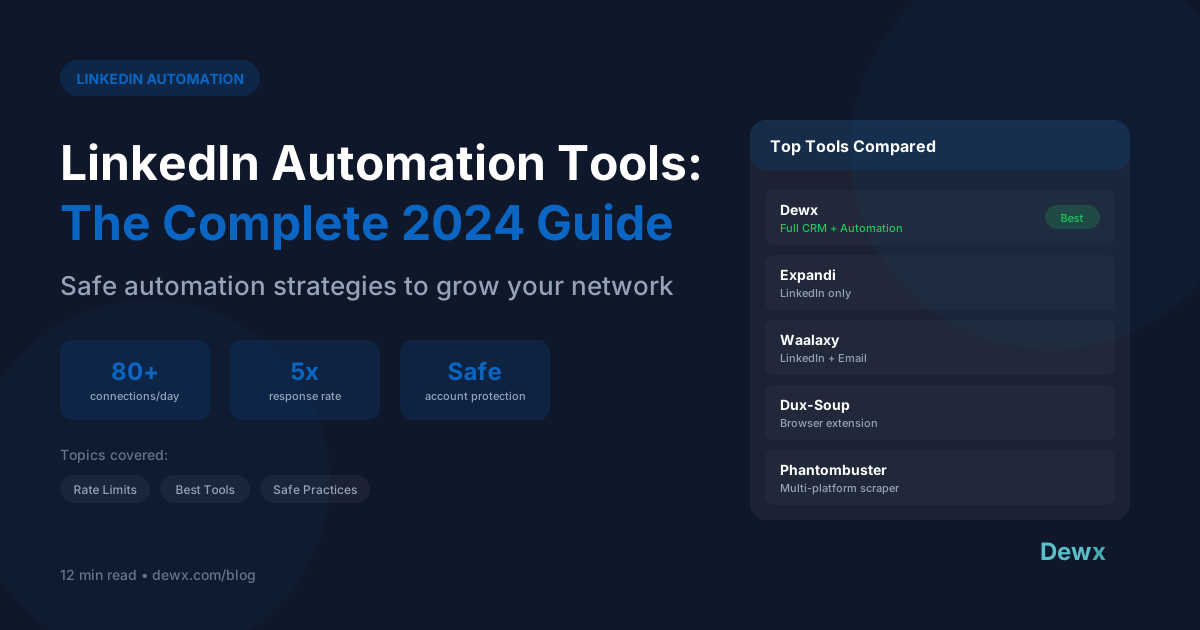
LinkedIn Automation Tools: The Complete Guide for B2B Sales in 2026
LinkedIn automation tools are software solutions that automate repetitive tasks on LinkedIn, including sending connection requests, follow-up messages, profile views, and engagement activities. These tools help B2B sales professionals scale their outreach while maintaining personalization and staying within LinkedIn's guidelines.
Key Takeaways
- LinkedIn is the #1 platform for B2B lead generation, with 80% of B2B leads coming from LinkedIn
- Automation saves 10+ hours per week on manual prospecting tasks when implemented correctly
- Safety is paramount. Exceeding LinkedIn's limits risks account restrictions or permanent bans
- Cloud-based tools are safer than browser extensions due to dedicated IP addresses and human-like behavior patterns
- The best results come from combining automation with genuine personalization, not replacing human touch entirely
Introduction: Why LinkedIn Automation Matters in 2026
LinkedIn has solidified its position as the undisputed leader in B2B professional networking. With over 1 billion members globally and 65 million decision-makers active on the platform, LinkedIn is where B2B deals begin.
However, the math is challenging. A sales rep manually sending connection requests, follow-up messages, and engaging with prospects can realistically reach 20-30 new people per day. At scale, this becomes unsustainable.
This is where LinkedIn automation tools enter the picture. When used correctly, they multiply your reach while maintaining the personal touch that converts prospects into customers.
This guide covers everything you need to know about LinkedIn automation in 2026, from safety practices to tool comparisons to implementation strategies.
What is LinkedIn Automation?
LinkedIn automation refers to using software to perform repetitive tasks on LinkedIn automatically. These tools simulate human actions but execute them at scale.
Types of LinkedIn Automation
1. Connection Request Automation Automatically send personalized connection requests to targeted prospects based on criteria like job title, industry, company size, or location.
2. Message Automation Send automated sequences of messages to new connections, including welcome messages, follow-ups, and nurture campaigns.
3. Profile View Automation Automatically view profiles of target prospects. This triggers LinkedIn notifications, prompting recipients to view your profile in return.
4. Engagement Automation Auto-like, comment, or share posts from target accounts to build visibility and relationships.
5. Data Extraction Export contact information, company details, and engagement data for CRM integration.
6. InMail Automation Automate sending InMail messages to prospects outside your network (requires LinkedIn Premium).
What Automation Can and Cannot Do
| Automation CAN | Automation CANNOT |
|---|---|
| Scale your outreach | Replace genuine relationship building |
| Maintain consistency | Write compelling copy for you |
| Free up time for high-value activities | Guarantee responses |
| Track and measure campaigns | Bypass LinkedIn's detection systems indefinitely |
| Personalize at scale with variables | Make cold prospects want to buy |
Benefits of LinkedIn Automation
1. Massive Time Savings
Manual prospecting on LinkedIn consumes enormous amounts of time:
| Task | Manual Time | Automated Time |
|---|---|---|
| 50 connection requests | 2-3 hours | 5 minutes setup |
| Follow-up sequences (100 contacts) | 4-5 hours | 0 (runs automatically) |
| Profile research | 1 hour/day | 10 minutes review |
| Engagement activities | 30+ minutes/day | 5 minutes setup |
| Weekly total | 25-30 hours | 3-5 hours |
The average B2B sales professional saves 10-15 hours per week with proper automation, time redirected to actual sales conversations.
2. Scale Without Sacrificing Personalization
Modern automation tools support dynamic personalization:
- First name, company name, job title insertion
- Industry-specific messaging variants
- Behavior-triggered sequences
- A/B testing of messages
3. Consistency and Follow-Through
Humans forget. Automation doesn't. Every prospect receives:
- Timely follow-ups (never missed)
- Consistent messaging
- Proper sequence completion
Studies show 80% of sales require 5+ follow-ups, yet most reps give up after 2. Automation ensures persistence.
4. Measurable Results
Automation platforms provide analytics:
- Connection acceptance rates
- Message response rates
- Campaign performance comparisons
- Optimal sending times
5. Multi-Channel Integration
Leading tools integrate LinkedIn automation with:
- Email sequences
- CRM systems
- Sales intelligence platforms
- Unified inbox solutions
LinkedIn Automation Safety: Avoiding Account Restrictions
LinkedIn actively monitors for automation and will restrict or ban accounts that violate their terms of service. Safety is not optional; it's essential.
LinkedIn's Official Limits (2026)
| Action | Daily Limit | Weekly Limit | Notes |
|---|---|---|---|
| Connection requests | 80-100 | 200-250 | Lower for new accounts |
| Messages to connections | 150 | 500 | Varies by account standing |
| Profile views | 150 | 500 | Affects "Who viewed your profile" |
| InMails | 50 | 150 | Requires Premium |
| Post engagement | 100 | 300 | Likes, comments combined |
Important: These limits are not officially published by LinkedIn and may change. Start conservatively and increase gradually.
Signs You're Approaching Limits
- Account temporarily restricted
- CAPTCHA challenges appearing
- Connection requests "pending" for weeks
- Warning messages from LinkedIn
- Reduced reach on posts
Best Practices for Safe Automation
1. Gradual Warm-Up
- Week 1: 10-15 connection requests/day
- Week 2: 20-30 connection requests/day
- Week 3: 40-50 connection requests/day
- Week 4+: 60-80 connection requests/day (max)
2. Human-Like Behavior Patterns
- Vary activity times (not exactly 9:00 AM daily)
- Include natural pauses between actions
- Mix automated and manual activity
- Use during business hours primarily
3. Quality Over Quantity
- Target relevant prospects (high acceptance rates)
- Personalize connection notes
- Avoid spammy messaging
- Withdraw old pending requests
4. Use Dedicated Tools
- Cloud-based tools with dedicated IPs
- Tools that respect LinkedIn's rate limits
- Platforms with built-in safety features
5. Monitor Account Health
- Check for warnings regularly
- Track acceptance rates (below 20% = problem)
- Review LinkedIn's terms of service updates
What Gets Accounts Banned
| High Risk | Why |
|---|---|
| Browser extensions on personal IP | Easy to detect, shared IP issues |
| Exceeding 100+ requests/day | Obvious automation pattern |
| Mass messaging non-connections | Spam behavior |
| Identical messages to everyone | Bot signature |
| 24/7 activity | No human behaves this way |
| Scraping without viewing | Detectable API abuse |
Types of LinkedIn Automation Tools
1. Browser Extensions
How they work: Install in Chrome/Firefox, run actions while browser is open.
Pros:
- Easy to install and use
- Often free or low cost
- Visual interface
Cons:
- Requires browser to be open
- Uses your IP address (higher risk)
- Detectable by LinkedIn
- Limited scheduling
Examples: Dux-Soup, LinkedHelper (legacy versions)
Risk Level: Medium-High
2. Cloud-Based Platforms
How they work: Run on dedicated servers with unique IPs, accessible via web dashboard.
Pros:
- Runs 24/7 without your computer
- Dedicated IP addresses (safer)
- Better rate limiting and human-like behavior
- Advanced analytics and CRM integrations
Cons:
- Higher cost
- Learning curve
- Requires trust in third-party access
Examples: Expandi, Dripify, Skylead
Risk Level: Low-Medium (when used correctly)
3. Integrated Sales Platforms
How they work: LinkedIn automation is one feature within a broader sales engagement platform.
Pros:
- Multi-channel orchestration (LinkedIn + email + calls)
- Unified analytics
- CRM integration
- Team collaboration features
Cons:
- Higher cost
- More complex setup
- May include features you don't need
Examples: Dewx, Outreach, Salesloft, Apollo
Risk Level: Low (built with compliance in mind)
4. LinkedIn Sales Navigator + Third-Party Tools
How they work: Use Sales Navigator for targeting, third-party tools for automation.
Pros:
- Best targeting capabilities
- LinkedIn-approved data access
- Advanced filters and lead lists
Cons:
- Expensive ($99+/month for Sales Navigator)
- Still need separate automation tool
- Learning curve
Risk Level: Low (when combined with compliant tools)
Top LinkedIn Automation Tools in 2026
Here's a comprehensive comparison of the leading LinkedIn automation tools available in 2026:
Comparison Table
| Tool | Type | Starting Price | Best For | Safety Rating | Key Features |
|---|---|---|---|---|---|
| Dewx | Integrated Platform | Free beta | SMBs wanting unified operations | Very High | AI-powered, unified inbox, CRM integration |
| Expandi | Cloud-Based | $99/month | Growth-focused teams | High | Smart sequences, A/B testing, webhooks |
| Dripify | Cloud-Based | $59/month | LinkedIn-first outreach | High | Visual campaign builder, team features |
| Skylead | Cloud-Based | $100/month | Multi-channel sequences | High | Email + LinkedIn combined |
| Waalaxy | Cloud-Based | $56/month | European markets | Medium-High | Prospecting focus, CRM sync |
| Lemlist | Integrated Platform | $59/month | Personalized outreach | High | Image personalization, multi-channel |
| Apollo | Sales Intelligence | $49/month | Data + outreach combined | Medium | Database + automation combo |
Tool Deep Dives
Dewx
Overview: Dewx is a comprehensive business operating system that includes LinkedIn automation as part of its GTM Hub. Unlike standalone tools, it integrates LinkedIn outreach with your unified inbox, CRM, and AI assistant.
Key Features:
- Unified inbox combining LinkedIn, WhatsApp, Gmail, Instagram
- AI-powered message drafting and response suggestions
- Native CRM integration (no Zapier needed)
- Dew AI assistant for campaign optimization
- Built-in safety limits and compliance
Best For: Small to medium businesses wanting one platform for all communication and sales activities.
Pricing: Currently in free beta, launching 2026.
Expandi
Overview: One of the most established cloud-based LinkedIn automation tools, known for safety features and smart sequences.
Key Features:
- Cloud-based with dedicated IP
- Smart inbox for managing replies
- A/B testing for messages
- Webhook integrations
- Image and GIF personalization
Best For: Teams focused primarily on LinkedIn outreach with moderate budgets.
Pricing: Starting at $99/user/month.
Dripify
Overview: User-friendly LinkedIn automation with visual campaign builders and strong team collaboration features.
Key Features:
- Drag-and-drop campaign builder
- Performance analytics dashboard
- Team management and permissions
- Auto-withdraw pending requests
- Integration with major CRMs
Best For: Teams new to LinkedIn automation wanting an intuitive interface.
Pricing: Starting at $59/user/month.
Skylead
Overview: Multi-channel outreach platform combining LinkedIn and email automation in unified sequences.
Key Features:
- LinkedIn + email in one sequence
- Smart sequences with conditional logic
- Email verification built-in
- Unified inbox for replies
- CRM integrations
Best For: Teams wanting to combine LinkedIn and cold email outreach.
Pricing: Starting at $100/user/month.
Lemlist
Overview: Known for creative personalization features, Lemlist combines LinkedIn automation with email outreach and unique image personalization.
Key Features:
- Custom image personalization
- Multi-channel sequences
- Warm-up features for email
- Landing page integration
- Strong deliverability focus
Best For: Teams prioritizing creative, personalized outreach.
Pricing: Starting at $59/user/month.
How to Choose the Right LinkedIn Automation Tool
Evaluation Criteria Checklist
Use this checklist when evaluating LinkedIn automation tools:
Safety & Compliance
- Cloud-based with dedicated IPs?
- Built-in rate limiting?
- Human-like behavior simulation?
- Account warm-up features?
- Regular updates for LinkedIn changes?
Features
- Connection request automation?
- Message sequence automation?
- Personalization variables?
- A/B testing capabilities?
- Analytics and reporting?
Integration
- CRM integration (which CRMs)?
- Email platform connection?
- Webhook support?
- API availability?
- Zapier/Make compatibility?
Usability
- Intuitive interface?
- Campaign templates available?
- Mobile access?
- Team collaboration features?
- Customer support quality?
Pricing
- Transparent pricing?
- Free trial available?
- Per-user or flat pricing?
- Feature limitations by tier?
- Contract requirements?
Questions to Ask Vendors
- How does your tool avoid LinkedIn detection?
- What happens if my account gets restricted?
- How often do you update for LinkedIn changes?
- Can I see case studies from similar companies?
- What's included in support?
- How do you handle data security and GDPR?
- What's your uptime and reliability?
Implementation Best Practices
Phase 1: Preparation (Week 1)
Day 1-2: Account Optimization
- Complete your LinkedIn profile (100% completion)
- Add professional headshot
- Write compelling headline and summary
- Gather recommendations
- Post 2-3 pieces of content
Day 3-4: Define Your ICP
- Identify target job titles
- List target industries
- Define company size ranges
- Note geographic focus
- Document exclusion criteria
Day 5-7: Tool Selection
- Evaluate 2-3 tools from comparison
- Start free trials
- Test basic functionality
- Assess integration capabilities
Phase 2: Setup (Week 2)
Day 1-2: Account Connection
- Connect LinkedIn to chosen tool
- Configure safety settings (conservative)
- Set up dedicated workspace/campaign
Day 3-4: Build First Campaign
- Create initial target list (100-200 people)
- Write connection request message (personalized)
- Draft 3-message follow-up sequence
- Set appropriate delays between messages
Day 5-7: Integration Setup
- Connect CRM (if applicable)
- Set up notification preferences
- Configure webhook destinations
- Test full workflow end-to-end
Phase 3: Launch & Warm-Up (Weeks 3-4)
Week 3: Conservative Launch
- Start with 10-15 requests/day
- Monitor acceptance rates
- Check for any warnings
- Respond manually to replies
Week 4: Gradual Scale
- Increase to 30-40 requests/day
- Launch second campaign variant
- Begin A/B testing messages
- Document what's working
Phase 4: Optimization (Ongoing)
Weekly Tasks:
- Review campaign analytics
- Update message copy based on data
- Refresh target lists
- Respond to all messages within 24 hours
Monthly Tasks:
- Audit overall strategy
- Test new campaign types
- Review and update ICP
- Clean up stale connections
Common Mistakes to Avoid
Mistake 1: Starting Too Aggressively
The Problem: Sending 100 connection requests on day one of using automation.
The Fix: Always warm up gradually. Start with 10-15/day and increase by 10-15 each week until reaching safe maximums.
Mistake 2: Generic, Copy-Paste Messages
The Problem: "Hi {First Name}, I'd like to add you to my network."
The Fix: Reference something specific: their company, recent post, mutual connection, or industry trend. Use personalization variables strategically.
Mistake 3: Ignoring Replies
The Problem: Automation sends messages, but nobody responds to replies for days.
The Fix: Check your inbox multiple times daily. Set up notifications. The whole point is to start conversations.
Mistake 4: Not Tracking Metrics
The Problem: Running campaigns without knowing what's working.
The Fix: Track acceptance rates, reply rates, and conversion to meetings. Aim for:
- Connection acceptance: 30%+
- Message reply rate: 15%+
- Meeting booking rate: 3-5%
Mistake 5: Over-Automating
The Problem: Trying to automate every interaction, including responses.
The Fix: Automate initial outreach and follow-ups. Always respond personally to engaged prospects.
Mistake 6: Using Browser Extensions for Scale
The Problem: Browser extensions are easier to detect and riskier at scale.
The Fix: Use cloud-based tools with dedicated IPs for any serious automation.
Mistake 7: Neglecting Profile Optimization
The Problem: Driving traffic to an incomplete or poorly optimized profile.
The Fix: Before any automation, ensure your profile is 100% complete, professional, and clearly communicates your value proposition.
How Dewx Handles LinkedIn Automation
Dewx takes a unique approach to LinkedIn automation by integrating it within a comprehensive business operating system.
Unified Inbox Integration
Unlike standalone automation tools, Dewx brings LinkedIn messages directly into your unified inbox alongside WhatsApp, Gmail, Instagram, and Outlook. This means:
- Single view of all prospect communication. No switching between tools
- Complete conversation history. See LinkedIn, email, and other touchpoints together
- Team collaboration. Assign and hand off conversations seamlessly
AI-Powered Personalization
Dewx's AI assistant, Dew, enhances LinkedIn outreach:
- Smart message drafting. Dew suggests personalized messages based on prospect profiles
- Response recommendations. Get AI-suggested replies to engaged prospects
- Optimal timing. Dew analyzes when prospects are most active
Native CRM Connection
Dewx's GTM Hub includes built-in CRM functionality:
- LinkedIn connections automatically create contact records
- Activity timeline shows all touchpoints
- Deal progression tracking from connection to close
- No Zapier or manual data entry required
Built-In Safety
Dewx implements conservative automation practices:
- Automatic rate limiting within LinkedIn's guidelines
- Human-like behavior patterns
- Warm-up protocols for new accounts
- Real-time monitoring for account health
Getting Started with Dewx
- Join the beta at dewx.com/beta
- Connect your LinkedIn account through secure OAuth
- Import or build your target prospect list
- Create campaigns with the visual builder
- Let Dew AI optimize your messaging and timing
Frequently Asked Questions
Is LinkedIn automation safe?
Yes, when done correctly. LinkedIn automation is safe if you:
- Use reputable cloud-based tools with dedicated IPs
- Stay within LinkedIn's rate limits (80 connection requests/day max)
- Warm up your account gradually
- Maintain human-like behavior patterns
- Personalize messages (no identical mass messages)
The risk comes from using low-quality browser extensions, exceeding limits, or sending spammy messages. Following best practices keeps your account safe.
Is LinkedIn automation against LinkedIn's Terms of Service?
LinkedIn's Terms of Service prohibit automated tools that scrape data or send automated messages. However, many businesses use automation tools successfully without issues by:
- Staying within reasonable activity limits
- Using tools that simulate human behavior
- Maintaining high-quality, personalized outreach
- Not scraping or exporting data inappropriately
The practical reality is that LinkedIn primarily enforces against egregious abuse, not thoughtful automation.
How many connection requests can I send per day?
The safe limit is 80-100 connection requests per day for established accounts in good standing. New accounts or accounts with low acceptance rates should stay lower (20-40/day). Always warm up gradually and monitor acceptance rates.
What's the best LinkedIn automation tool in 2026?
The best tool depends on your needs:
- Best for SMBs wanting all-in-one: Dewx (unified inbox + CRM + automation)
- Best for LinkedIn-focused teams: Expandi or Dripify
- Best for multi-channel outreach: Skylead or Lemlist
- Best for budget-conscious users: Waalaxy
How do I avoid getting my LinkedIn account banned?
To avoid account restrictions:
- Start slowly (10-15 requests/day) and warm up gradually
- Use cloud-based tools, not browser extensions
- Personalize every message. No identical copy-paste
- Maintain a high acceptance rate (30%+ is healthy)
- Mix automated and manual activity
- Respond promptly to replies
- Don't run automation 24/7. Mimic human schedules
Conclusion: Automation as Amplification
LinkedIn automation tools in 2026 are powerful allies for B2B sales teams, when used correctly. They amplify your efforts, not replace them. The best results come from:
- Choosing the right tool that matches your needs and risk tolerance
- Implementing safely with gradual warm-up and conservative limits
- Personalizing at scale. Automation should enhance, not eliminate, the human touch
- Integrating with your workflow. LinkedIn automation works best as part of a unified sales system
- Continuously optimizing based on data and results
The future of B2B sales is not about choosing between automation and authenticity. It's about using automation to create more authentic conversations at scale.
Ready to transform your LinkedIn outreach? Join the Dewx beta and experience unified LinkedIn automation with AI-powered personalization.
Have questions about LinkedIn automation? Follow Roki Hasan on LinkedIn for tips, updates, and insights on B2B sales.