
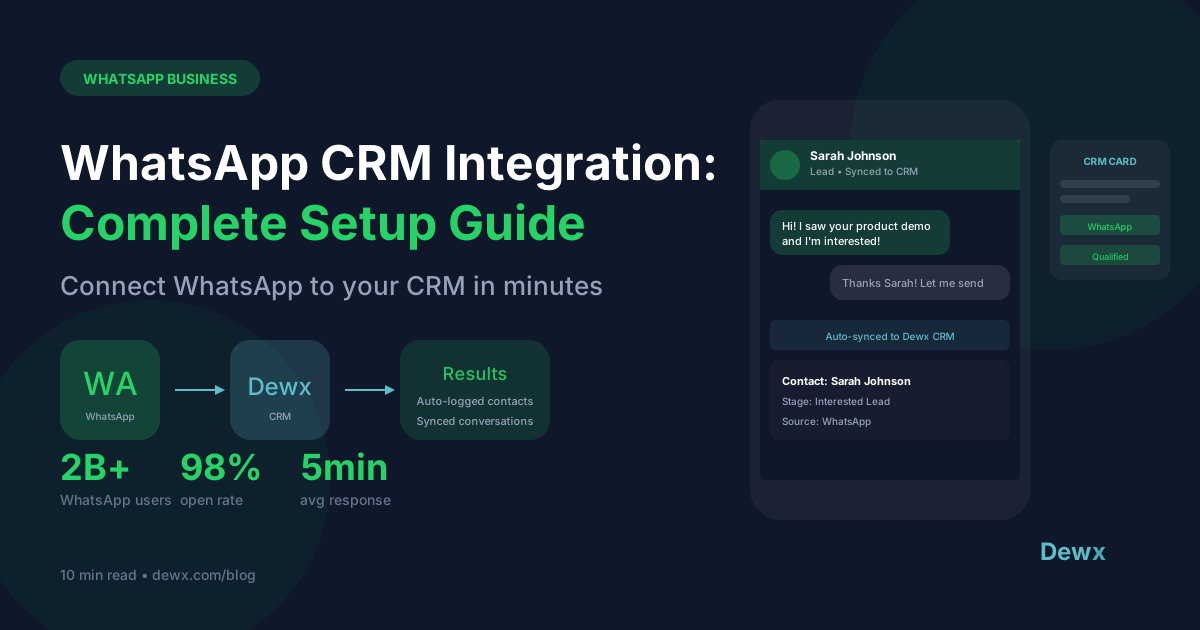
The Complete Guide to WhatsApp CRM Integration in 2026
WhatsApp CRM integration is the connection between WhatsApp Business and your Customer Relationship Management (CRM) system that unifies customer conversations with sales data, contact profiles, and automated workflows. This integration enables businesses to manage WhatsApp messages directly within their CRM, track customer interactions, and automate follow-ups.
With over 2 billion active users and a 98% message open rate, WhatsApp has become the most effective customer communication channel globally. But without CRM integration, businesses lose context, miss follow-ups, and struggle to scale their messaging operations.
Key Takeaways
- WhatsApp CRM integration connects your messaging channel with customer data, enabling personalized conversations at scale with full context visibility.
- Businesses using WhatsApp CRM integration see 40-60% faster response times and 25% higher customer satisfaction scores compared to disconnected systems.
- Implementation takes 2-4 weeks for most businesses, with the right platform requiring minimal technical expertise.
- Essential features to look for include: unified inbox, contact syncing, conversation history, automated workflows, and team collaboration tools.
- Dewx provides native WhatsApp CRM integration with AI-powered automation, eliminating the need for third-party connectors.
What is WhatsApp CRM Integration?
WhatsApp CRM integration is the technical connection between WhatsApp Business (or WhatsApp Business API) and a CRM system that synchronizes customer data, conversation history, and business processes in real-time.
Think of it as building a bridge between two essential business tools:
| Component | What It Does | Why It Matters |
|---|---|---|
| WhatsApp Business | Handles customer messaging | Where your customers already are |
| CRM System | Manages customer relationships | Where your business data lives |
| Integration Layer | Connects both systems | Creates unified customer view |
How WhatsApp CRM Integration Works
The integration operates through several mechanisms:
- API Connection: WhatsApp Business API connects to your CRM via webhooks and REST APIs
- Contact Synchronization: Customer profiles sync bidirectionally between systems
- Message Logging: All WhatsApp conversations automatically appear in CRM contact records
- Workflow Triggers: CRM actions can trigger WhatsApp messages and vice versa
- Data Enrichment: CRM data enriches WhatsApp conversations with customer context
Types of WhatsApp CRM Integration
| Type | Best For | Complexity | Cost |
|---|---|---|---|
| Native Integration | Businesses wanting seamless experience | Low | Included in platform |
| Third-Party Connector | Existing CRM with WhatsApp add-on | Medium | $50-200/month |
| Custom API Build | Enterprises with unique requirements | High | $10,000+ development |
| Unified Platform | SMBs wanting all-in-one solution | Low | Varies by platform |
Benefits of WhatsApp CRM Integration
1. Unified Customer View
Without integration, customer data lives in silos:
- WhatsApp messages in one app
- Email history in another
- Purchase records somewhere else
- Support tickets in a separate system
With WhatsApp CRM integration, every team member sees:
- Complete conversation history across all channels
- Purchase history and order status
- Support ticket history
- Deal stage and pipeline position
- Notes from previous interactions
Impact: Sales reps save 23 minutes per customer interaction by eliminating context-switching and data lookup.
2. Faster Response Times
| Metric | Without Integration | With Integration | Improvement |
|---|---|---|---|
| Average first response | 4.2 hours | 1.8 hours | 57% faster |
| Message routing time | 15 minutes | Instant | 100% faster |
| Context gathering | 8 minutes | 0 minutes | Eliminated |
| Resolution time | 24 hours | 8 hours | 67% faster |
Why it matters: Studies show responding within 5 minutes makes you 21x more likely to qualify a lead compared to responding after 30 minutes.
3. Automated Workflows
WhatsApp CRM integration enables powerful automations:
- Welcome Sequences: Automatically greet new contacts with personalized messages
- Lead Qualification: Trigger qualification questions based on CRM data
- Follow-up Reminders: Auto-schedule follow-ups when deals go cold
- Order Updates: Send shipping notifications from your e-commerce system
- Appointment Reminders: Reduce no-shows with automated confirmations
- Re-engagement Campaigns: Win back inactive customers automatically
Example workflow:
- New lead fills form on website
- CRM creates contact record
- WhatsApp welcome message sends automatically
- Lead replies with question
- Message routes to sales rep with full context
- Rep responds from CRM interface
- Follow-up task auto-creates if no response in 24 hours
4. Team Collaboration
| Feature | Benefit |
|---|---|
| Shared Inbox | Multiple team members manage WhatsApp from one place |
| Conversation Assignment | Route messages to the right person automatically |
| Internal Notes | Add context without customers seeing |
| Collision Detection | Prevent duplicate responses |
| Performance Tracking | Monitor response times and resolution rates |
5. Scalability Without Losing Personal Touch
The WhatsApp Business App limits you to:
- 1 device (or 4 with WhatsApp Business Premium)
- Manual conversation management
- No automation capabilities
- No team access controls
WhatsApp CRM integration enables:
- Unlimited team members
- Automated message templates
- AI-powered responses
- Full audit trails
- Compliance and archiving
6. Data-Driven Insights
Integration unlocks analytics impossible with standalone WhatsApp:
- Conversion rates by campaign source
- Response time trends by team member
- Customer satisfaction scores per conversation
- Revenue attribution to WhatsApp interactions
- Peak messaging hours for staffing optimization
How WhatsApp CRM Integration Works: Technical Overview
Architecture Components
+-------------------+     +--------------------+     +-------------------+
|  WhatsApp         |---->|  Integration       |---->|  CRM System       |
|  Business API     |<----|  Middleware        |<----|                   |
+-------------------+     +--------------------+     +-------------------+
        |                       |                        |
        v                       v                        v
   Messages              Event Processing          Contact Data
   Media Files           Data Transformation       Deal Updates
   Status Updates        Queue Management          Activity Logs
Data Flow
Inbound Message Flow:
- Customer sends WhatsApp message
- WhatsApp API delivers to your webhook endpoint
- Integration layer processes and enriches message
- CRM receives message with contact context
- Team member sees message in unified inbox
Outbound Message Flow:
- Team member composes message in CRM
- CRM sends to integration layer
- Message validated against WhatsApp policies
- WhatsApp API delivers to customer
- Delivery status syncs back to CRM
WhatsApp Business API Requirements
To integrate WhatsApp with your CRM, you need:
| Requirement | Details |
|---|---|
| Business Verification | Meta Business verification required |
| Phone Number | Dedicated number for WhatsApp Business |
| Business Solution Provider | Or direct API access from Meta |
| Webhook Endpoint | HTTPS endpoint for receiving messages |
| Message Templates | Pre-approved templates for outbound |
Message Types and Limitations
| Message Type | Initiation | Window | Template Required |
|---|---|---|---|
| User-initiated | Customer starts | 24 hours | No |
| Business-initiated | You start | N/A | Yes |
| Session messages | Within 24hr window | 24 hours from last customer message | No |
Important: WhatsApp enforces a 24-hour messaging window. After 24 hours of customer inactivity, you must use approved message templates to re-engage.
Key Features to Look for in WhatsApp CRM Integration
Essential Features Checklist
Messaging Capabilities:
- Send and receive WhatsApp messages from CRM
- Support for media (images, documents, audio, video)
- Message template management and approval workflow
- Broadcast/bulk messaging (with opt-in compliance)
- Chat assignment and routing rules
Contact Management:
- Automatic contact creation from new conversations
- Bidirectional contact sync
- Contact profile enrichment
- Conversation history per contact
- Tag and segment contacts
Automation:
- Auto-responses and chatbots
- Workflow triggers from WhatsApp events
- Scheduled messages
- Follow-up automation
- Lead scoring integration
Team Collaboration:
- Multi-user access to WhatsApp inbox
- Conversation assignment and transfer
- Internal notes and @mentions
- Role-based access controls
- Activity audit logs
Analytics and Reporting:
- Message volume and trends
- Response time metrics
- Team performance dashboards
- Conversion tracking
- Customer satisfaction scoring
Advanced Features
AI and Intelligence:
- AI-powered message suggestions
- Sentiment analysis
- Intent detection and routing
- Automated translation
- Smart reply recommendations
Compliance and Security:
- End-to-end encryption preservation
- GDPR compliance tools
- Message archiving
- Opt-in/opt-out management
- Data retention policies
Top WhatsApp CRM Solutions in 2026
1. Dewx (Best for Unified Business Operations)
Overview: Dewx is a business operating system that includes native WhatsApp CRM integration as part of its unified platform. Unlike point solutions, Dewx combines messaging, CRM, and AI in one system.
WhatsApp CRM Features:
- Native WhatsApp Business API integration
- Unified inbox with LinkedIn, Gmail, Instagram, Outlook
- Dew AI assistant for automated responses
- Full CRM with pipeline management
- No third-party connectors needed
Pricing: Free beta (launching 2026)
Best for: SMBs wanting an all-in-one platform that eliminates tool fragmentation
Standout: AI-powered message drafting and cross-channel customer context
2. HubSpot + WhatsApp Integration
Overview: HubSpot offers WhatsApp integration through their Marketing and Service Hubs.
Features:
- Native WhatsApp messaging from HubSpot
- Automated workflows triggered by WhatsApp
- Conversation routing
- Template management
Pricing: From $800/month (Marketing Hub Professional)
Best for: Enterprises already on HubSpot ecosystem
Limitation: Requires expensive HubSpot tier
3. Salesforce + WhatsApp
Overview: Salesforce integrates WhatsApp through its Digital Engagement add-on.
Features:
- Omnichannel customer service
- Einstein AI integration
- Case management from WhatsApp
- Advanced analytics
Pricing: $75/user/month + Digital Engagement add-on
Best for: Enterprise sales and service teams
Limitation: Complex setup, high total cost
4. Respond.io
Overview: Dedicated messaging platform with strong WhatsApp focus.
Features:
- Multi-channel inbox (WhatsApp, Messenger, etc.)
- Workflow automation
- Chatbot builder
- Team collaboration
Pricing: From $79/month
Best for: Businesses focused primarily on messaging
Limitation: Not a full CRM, requires integration
5. Twilio Flex + CRM
Overview: Build custom WhatsApp integration using Twilio's API.
Features:
- Complete customization
- Programmable messaging
- Any CRM integration possible
- Enterprise scalability
Pricing: Usage-based ($0.005-0.08 per message)
Best for: Enterprises with developer resources
Limitation: Requires significant development
Comparison Table
| Platform | Native CRM | WhatsApp Native | AI Features | Price Range | Best For |
|---|---|---|---|---|---|
| Dewx | Yes | Yes | Advanced | Free beta | SMBs |
| HubSpot | Yes | Yes | Basic | $800+/mo | Mid-market |
| Salesforce | Yes | Add-on | Advanced | $150+/user | Enterprise |
| Respond.io | No | Yes | Basic | $79+/mo | Messaging-focused |
| Twilio Flex | No | Build | None | Usage-based | Custom builds |
Implementation Guide: WhatsApp CRM Integration
Week 1: Planning and Preparation
Day 1-2: Audit Current State
- Document existing WhatsApp usage (personal accounts, Business App)
- List all team members who need access
- Identify current CRM and its integration capabilities
- Review message volumes and peak times
Day 3-4: Define Requirements
- Which features are must-have vs. nice-to-have?
- What workflows need automation?
- What are your compliance requirements (GDPR, industry-specific)?
- What integrations with other tools are needed?
Day 5: Select Solution
- Evaluate platforms against your requirements
- Request demos and trials
- Check reviews and case studies
- Confirm pricing and contract terms
Week 2: Technical Setup
Day 1-2: WhatsApp Business API Setup
- Apply for WhatsApp Business API access
- Complete Meta Business verification
- Register your phone number
- Set up webhook endpoints
Day 3-4: CRM Configuration
- Configure WhatsApp channel in CRM/platform
- Set up user accounts and permissions
- Import existing contacts (with consent records)
- Configure data mapping between systems
Day 5: Integration Testing
- Send test messages in both directions
- Verify contact sync functionality
- Test media sharing (images, documents)
- Confirm webhook delivery
Week 3: Workflow Configuration
Day 1-2: Automation Setup
- Create welcome message sequences
- Build lead qualification workflows
- Set up auto-assignment rules
- Configure escalation triggers
Day 3-4: Template Creation
- Draft message templates for common scenarios
- Submit templates for WhatsApp approval
- Create template usage guidelines for team
- Build template library in CRM
Day 5: Team Training
- Train team on new unified interface
- Practice handling different message types
- Review automation workflows
- Document standard operating procedures
Week 4: Launch and Optimization
Day 1-2: Soft Launch
- Route subset of conversations to new system
- Monitor for issues in real-time
- Gather initial team feedback
- Adjust workflows as needed
Day 3-4: Full Rollout
- Migrate all WhatsApp communications
- Decommission old WhatsApp setup
- Announce new contact method to customers
- Monitor system stability
Day 5: Optimization
- Review initial metrics
- Identify bottlenecks
- Refine automation rules
- Plan next improvement cycle
Best Practices for WhatsApp CRM Integration
1. Respect the 24-Hour Rule
WhatsApp's messaging window requires strategic thinking:
Do:
- Respond to customers within the 24-hour window when possible
- Use approved templates for re-engagement after window closes
- Build workflows that prioritize messages nearing window expiration
Don't:
- Spam customers with template messages
- Ignore the window limitations in automation design
- Send marketing messages without prior opt-in
2. Personalize at Scale
Even automated messages should feel personal:
Bad: "Hello, thank you for contacting us."

Good: "Hi Sarah! Thanks for reaching out about our enterprise plan.
I see you've been exploring our CRM features - happy to answer any questions."
Use CRM data to personalize:
- Customer name
- Previous purchases
- Last interaction context
- Lifecycle stage
- Preferences and interests
3. Implement Smart Routing
Route conversations to the right person based on:
| Criteria | Routing Rule |
|---|---|
| Language | Route to native speaker |
| Customer tier | VIPs to senior reps |
| Topic | Sales questions to sales, support to support |
| Geography | Route by timezone for faster response |
| History | Route to previous conversation owner |
4. Balance Automation and Human Touch
Automate:
- Initial greetings and acknowledgments
- FAQ responses
- Appointment confirmations
- Order status updates
- Simple data collection
Keep Human:
- Complex problem-solving
- Sales negotiations
- Complaints and escalations
- Relationship-building conversations
- High-value customer interactions
5. Maintain Compliance
Required practices:
- Obtain explicit opt-in before sending marketing messages
- Provide clear opt-out mechanisms
- Honor opt-out requests within 24 hours
- Archive conversations per retention policies
- Train team on data handling procedures
6. Monitor and Iterate
Track these metrics weekly:
| Metric | Target | Action if Below |
|---|---|---|
| First response time | < 5 min | Review routing rules |
| Resolution rate | > 85% | Improve knowledge base |
| Customer satisfaction | > 4.5/5 | Analyze negative feedback |
| Template approval rate | > 90% | Review template guidelines |
| Automation success rate | > 70% | Refine automation rules |
7. Build a Knowledge Base
Document everything:
- Common customer questions and best answers
- Product/service information for quick reference
- Escalation procedures and contacts
- Integration troubleshooting steps
- Template library with use cases
How Dewx Handles WhatsApp CRM Integration
Dewx takes a fundamentally different approach to WhatsApp CRM integration by building it natively into a unified business platform.
Native Integration, Not Add-On
Unlike traditional CRMs that bolt on WhatsApp through third-party connectors, Dewx includes WhatsApp as a core channel in its Portal unified inbox:
Portal Unified Inbox includes:
- WhatsApp Business API integration
- LinkedIn messages
- Gmail and Outlook email
- Instagram DMs
- SMS (coming soon)
All channels appear in one interface with full customer context.
AI-Powered Conversations
Dew, the AI assistant built into Dewx, enhances WhatsApp interactions:
Capabilities:
- Draft personalized responses based on customer history
- Suggest next best actions during conversations
- Automatically log activities and update CRM records
- Detect sentiment and flag urgent messages
- Translate messages for global teams
Example interaction:
Customer: "I'm interested in upgrading my plan but have questions about pricing"

Dew suggests: "Hi [Name]! Great to hear you're considering an upgrade. Based on your
current usage of [X feature], I'd recommend our Growth plan at $79/month.
Would you like me to walk you through the benefits?"

[One click to send or edit]
Zero-Configuration CRM Sync
WhatsApp contacts and conversations automatically sync with Dewx CRM:
| Data | Sync Direction | Automation |
|---|---|---|
| Contact profiles | Bidirectional | Auto-create from new chats |
| Conversation history | WhatsApp to CRM | Real-time logging |
| Deal updates | CRM to WhatsApp | Trigger template messages |
| Task creation | Bidirectional | Auto-create follow-up tasks |
| Activity timeline | Aggregate | Single customer view |
Workflow Automation
Build automations without code:
- Trigger: New WhatsApp message from contact not in CRM
- Action: Create CRM contact with enriched data
- Action: Assign to sales rep based on routing rules
- Action: Send welcome message template
- Action: Create follow-up task for 24 hours
Team Collaboration
- Shared inbox: Entire team manages WhatsApp from one place
- Assignment rules: Auto-route based on skills, availability, or load
- Internal notes: Add context teammates can see
- @mentions: Notify specific team members
- Handoff: Transfer conversations with full history
Pricing Advantage
Traditional WhatsApp CRM stack:
- CRM platform: $50-300/month
- WhatsApp connector: $50-150/month
- Automation tool: $30-100/month
- Total: $130-550/month
Dewx includes all of this in one platform at a fraction of the cost.
Frequently Asked Questions
What is WhatsApp CRM integration?
WhatsApp CRM integration is the technical connection between WhatsApp Business and a Customer Relationship Management system. This integration synchronizes customer conversations, contact data, and business workflows between both platforms. When integrated, team members can send and receive WhatsApp messages directly within their CRM, with full access to customer history, deal information, and automated workflows.
Do I need WhatsApp Business API for CRM integration?
Yes, WhatsApp Business API is required for proper CRM integration. The standard WhatsApp Business App has limited integration capabilities and doesn't support multi-user access or automation. The API enables:
- Multiple team members on one number
- Webhook integrations for real-time sync
- Automated message templates
- Higher message volume handling
- Enterprise security and compliance
You can access the API through Meta directly or through Business Solution Providers (BSPs) like Twilio, MessageBird, or unified platforms like Dewx.
How much does WhatsApp CRM integration cost?
Costs vary significantly based on your approach:
| Approach | Monthly Cost | Includes |
|---|---|---|
| Unified platform (Dewx) | Free beta, then affordable | CRM + WhatsApp + AI + more |
| CRM + WhatsApp connector | $100-400/month | Connector fees + CRM subscription |
| Enterprise solution | $500-2000+/month | Salesforce/HubSpot + add-ons |
| Custom build | $10,000+ upfront | Development + maintenance |
Additional costs include WhatsApp conversation fees ($0.005-0.08 per conversation depending on region and type).
Can I integrate WhatsApp with my existing CRM?
Most major CRMs support WhatsApp integration, either natively or through third-party connectors:
- HubSpot: Native integration available
- Salesforce: Through Digital Engagement add-on
- Zoho CRM: Through WhatsApp Business integration
- Pipedrive: Through third-party connectors
- Monday.com: Limited integration available
However, these integrations often require additional subscriptions, have feature limitations, or create data silos. A unified platform approach may provide better value and functionality.
How long does it take to implement WhatsApp CRM integration?
Typical implementation takes 2-4 weeks:
| Phase | Duration | Activities |
|---|---|---|
| Planning | 3-5 days | Requirements, platform selection |
| Technical setup | 3-5 days | API access, configuration |
| Workflow configuration | 5-7 days | Automations, templates |
| Testing and training | 3-5 days | Team onboarding, soft launch |
Factors that can extend timeline:
- Meta Business verification delays (1-3 weeks)
- Complex custom integrations
- Large-scale data migration
- Extensive team training needs
Conclusion
WhatsApp CRM integration is no longer optional for businesses serious about customer communication. With 2 billion users expecting quick, contextual responses on their preferred channel, the gap between connected and disconnected businesses grows wider every day.
The key decisions are:
- Integration approach: Native platform vs. connector vs. custom build
- Feature requirements: Basic messaging vs. full automation and AI
- Scalability needs: Current team size vs. growth trajectory
- Budget constraints: Point solutions vs. unified platform economics
For most SMBs, a unified platform like Dewx offers the best combination of features, simplicity, and value. Instead of stitching together multiple tools, you get WhatsApp, CRM, and AI in one system designed to work together.
The businesses that thrive in 2026 will be those that treat WhatsApp as a core business channel, not an afterthought. WhatsApp CRM integration is the foundation that makes this possible.
Ready to unify your WhatsApp and CRM? Join the Dewx beta and experience seamless WhatsApp CRM integration with AI-powered automation.
Have questions about WhatsApp CRM integration? Follow Roki Hasan on LinkedIn for insights on unified business operations.