How Dewx GTM Hub Replaces Your CRM
CRMs are supposed to help you sell. Instead, they become data entry nightmares. Here's how GTM Hub is different.
The CRM Problem
What CRMs Promise:
- Complete customer view
- Sales insights
- Pipeline management
- Team alignment
What Actually Happens:
- Data entry nobody does
- Incomplete records
- Outdated information
- Another tool to manage
The GTM Hub Difference
1. Conversations Become Data
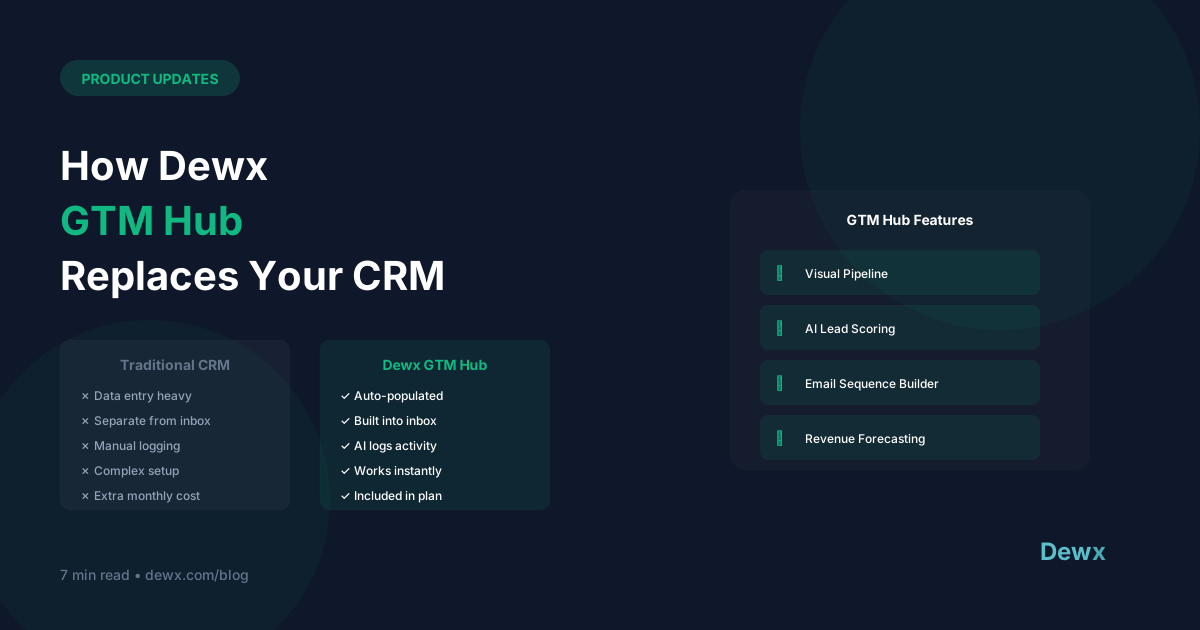
Traditional CRM: Have a call → Open CRM → Log the call → Enter notes → Update stage → Close CRM
GTM Hub: Have a call → Dew logs it automatically
Your conversations in Portal automatically become CRM activities. No extra steps.
2. Contacts Create Themselves
Traditional CRM: Get a lead → Copy info → Create contact → Assign → Enter details
GTM Hub: Get a message → Contact exists automatically with full conversation history
Every person you communicate with becomes a contact. No manual creation.
3. Pipeline Reflects Reality
Traditional CRM: Remember to update stages → Hope data is current → Trust the forecast
GTM Hub: AI analyzes conversations → Suggests stage changes → Pipeline stays accurate
Dew reads conversation context and prompts updates. No stale deals.
4. Insights from Actual Data
Traditional CRM: Depends on what people entered → Often incomplete → Limited value
GTM Hub: Based on real communications → Always complete → Actually useful
Feature Comparison
| Feature | Traditional CRM | Dewx GTM Hub |
|---|---|---|
| Data entry | Manual | Automatic |
| Contact creation | Manual | From conversations |
| Activity logging | Manual | From communications |
| Email tracking | Add-on required | Native |
| Pipeline updates | Manual | AI-assisted |
| Communication history | Logged manually | Complete automatically |
What GTM Hub Includes
Contact Management
- Auto-created from all channels
- Full conversation history
- Company associations
- Custom fields
- Tags and segments
Pipeline
- Visual kanban or list view
- Drag-and-drop stages
- Deal values and close dates
- AI probability scoring
- Revenue forecasting
Activities
- Automatic logging from inbox
- Task management
- Follow-up reminders
- Team activity feed
Reporting
- Pipeline analytics
- Activity metrics
- Revenue reports
- Team performance
Migration from Existing CRM
What Imports:
- Contacts and companies
- Deals/opportunities
- Notes and custom fields
- Historical activities (via CSV)
What Improves:
- Future activities auto-logged
- Conversations attached to contacts
- AI assistance for all interactions
Migration Process:
- Export from current CRM
- Import to GTM Hub
- Connect communication channels
- Automatic enrichment begins
Who GTM Hub Is For
Perfect For:
- SMBs tired of CRM data entry
- Sales teams wanting actual insights
- Anyone using multiple communication channels
- Teams that need CRM + inbox together
Maybe Not For:
- Enterprise with complex workflows
- Heavy Salesforce customization
- Industries requiring specific compliance
Try the Difference
Stop entering data. Start closing deals.
Frequently Asked Questions
How does GTM Hub automatically log activities?
GTM Hub is connected to Portal, your unified inbox. Every email, WhatsApp message, and LinkedIn conversation is automatically associated with the relevant contact. No manual logging required—conversations become CRM activities in real-time.
Can I import my existing CRM data?
Yes. GTM Hub supports CSV import for contacts, companies, deals, notes, and custom fields. We also have guided migration paths for HubSpot, Salesforce, Pipedrive, and other popular CRMs.
What if I need advanced CRM features like workflows and sequences?
GTM Hub includes outreach sequences, automated follow-up reminders, and deal stage-based triggers. For enterprise workflow complexity, larger organizations may want additional tools. Most SMBs find GTM Hub covers their needs with far less complexity.
How does AI-assisted pipeline management work?
Dew AI reads your conversation context and suggests stage updates. If a prospect agrees to a demo in their email, Dew prompts you to move the deal to "Demo Scheduled." You approve with one click rather than remembering to manually update.
Is GTM Hub good for teams or just individual users?
Both. Team features include deal assignment, activity feeds, performance dashboards, and shared pipeline views. Role-based permissions let you control who sees what. Teams of 2-50 people are the sweet spot for GTM Hub.
Experience CRM that actually works. Try Dewx GTM Hub free and stop entering data.
Related: HubSpot alternatives | Salesforce alternatives