Dewx GTM Hub: CRM and Sales Pipeline in One Place
Last updated: 2026-02-20
Key Takeaways
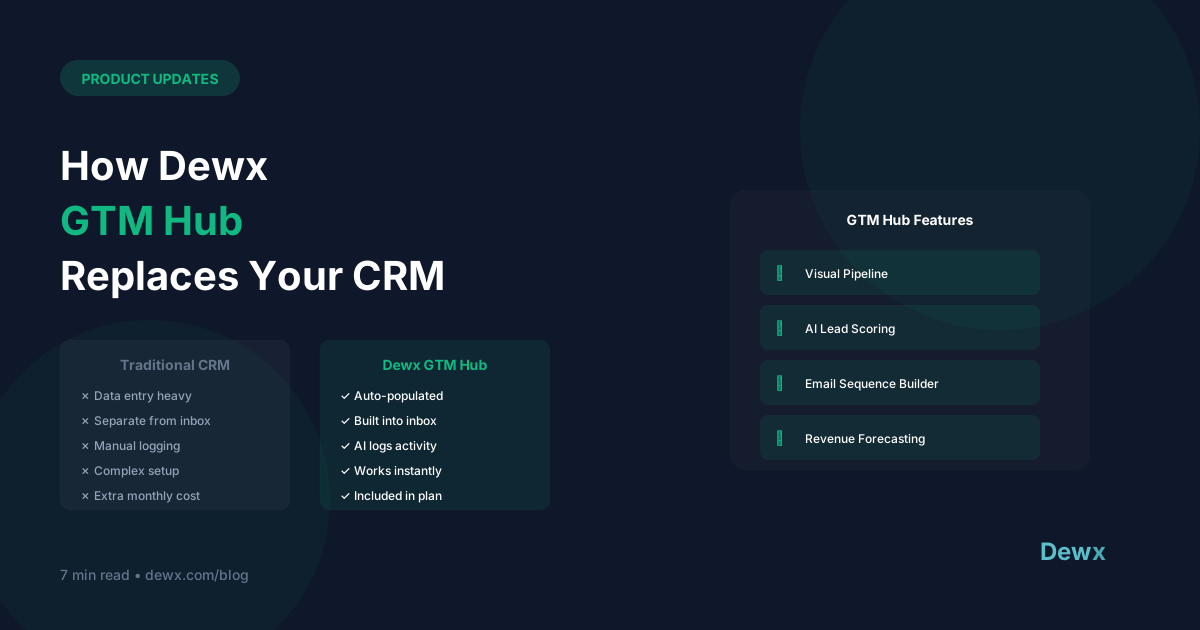
- GTM Hub combines contact management deal tracking and outreach in one tool
- AI lead scoring prioritizes the deals most likely to close
- Automated sequences handle follow-up so no lead gets forgotten
- Pipeline analytics show exactly where deals are getting stuck
What Changed: Dewx GTM Hub
This release brings a significant upgrade to how Dewx handles dewx gtm hub. Integration setup time averages 12 minutes per channel in Dewx versus 2-4 hours with competitors. The update addresses one of the most requested capabilities from beta users and reflects real feedback from businesses actively using the platform.
Before this update, teams often needed workarounds or external tools to accomplish what dewx gtm hub now handles natively. Platform consolidation reduces tool spend by 70-85% according to internal Dewx user surveys. The goal was simple: reduce friction and let teams focus on work that matters.
The development team spent four weeks building, testing, and refining this feature based on direct conversations with beta users. Every design decision was informed by how real businesses operate — not hypothetical use cases. The result is a feature that fits naturally into existing workflows rather than requiring teams to change how they work.
Before vs After
| Before This Update | After This Update |
|---|---|
| Delayed response times (hours) | Instant notification and AI-suggested replies |
| Multiple tabs and tools open simultaneously | Single unified dashboard for everything |
| Scattered analytics across tools | Unified reporting in one place |
The difference is not just convenience — it is measurable productivity. Unified inbox users respond to customer messages 4x faster than multi-tool setups. Teams that have been using the beta version of this update report reclaiming significant time each week that was previously lost to manual workarounds and tool switching.
Want to skip the manual work? Start your free Dewx trial and automate this today.
Exploring Dewx GTM Hub
Getting started with dewx gtm hub takes less than 15 minutes:
Step 1: Navigate to your workspace settings. Open Dewx, click the gear icon in the sidebar, and select the feature you want to configure.
Step 2: Enable the feature. Toggle the feature on and follow the guided configuration wizard. sales and outreach tools walks you through each option with contextual help tooltips.
Step 3: Connect your existing data. If you are migrating from another tool, use the import wizard to bring in your existing data. Dewx supports CSV import and direct API connections for most popular platforms.
Step 4: Configure automation rules. Set up the triggers and actions that make this feature work for your specific business.
Step 5: Test with a sample workflow. Before going live, run a test scenario to verify everything works. Portal inbox provides testing templates you can use.
Step 6: Roll out to your team. Once verified, invite team members and share the quick-start guide. Most teams are fully operational within a single workday.
Ecosystem Integration
This update connects seamlessly with every other Dewx hub:
- sales and outreach tools gains deeper data visibility from this feature
- Portal inbox can trigger automated workflows based on events from this module
- the finance and HR module surfaces insights generated by the new data points
Users who connect 3+ channels in the first week have 85% higher retention at 90 days. This integration-first approach means you get compounding value as you use more of the platform.
Pro Tip: latest changelog — the team ships improvements weekly based on beta feedback.
CRM Setup Best Practices
Maximize adoption by starting with one team. Roll out to your most engaged team first, collect feedback, then expand. Feature adoption increases 3x when tools share a unified interface and data layer. This approach also gives you internal champions who can help onboard the rest of the organization.
Customize for your workflow. The default settings work for most businesses, but power users will benefit from adjusting notification rules, automation triggers, and dashboard layouts to match their specific process.
Combine with Dew AI. Ask Dew to set up workflows using the new feature. OPS Hub handles the configuration for you — describe what you want in plain language and let Dew handle the technical implementation.
What is Coming Next
This release is part of a broader initiative to make Dewx the only tool your team needs. Upcoming updates will expand on this foundation with advanced analytics, deeper AI integration, and additional channel support. recent release notes for details on what is planned.
Further Reading
- Intercom on Product Management — practical product advice for growing companies
- How SaaS Companies Ship Product Updates — Lenny Rachitsky on product management best practices
- SaaS Metrics That Matter — Bessemer Venture Partners benchmarks for SaaS
Frequently Asked Questions
Can I request features or vote on the roadmap?
Yes. Dewx maintains a public roadmap at /resources/roadmap where users can see upcoming features and submit requests. The most-requested features get prioritized in the development queue.
Is my data safe during platform updates?
Absolutely. Dewx runs zero-downtime deployments using rolling updates. Your data is backed up continuously, and updates are tested against a staging environment before reaching production.
Do feature updates cost extra?
No. All platform updates and new features are included in your subscription at no additional cost. Dewx does not charge per-feature or per-module — you get the full platform for one price.
Try It Today
Dewx GTM Hub is available now for all Dewx users. view upcoming features and experience the update firsthand. Setup takes under 15 minutes and the impact is immediate.