
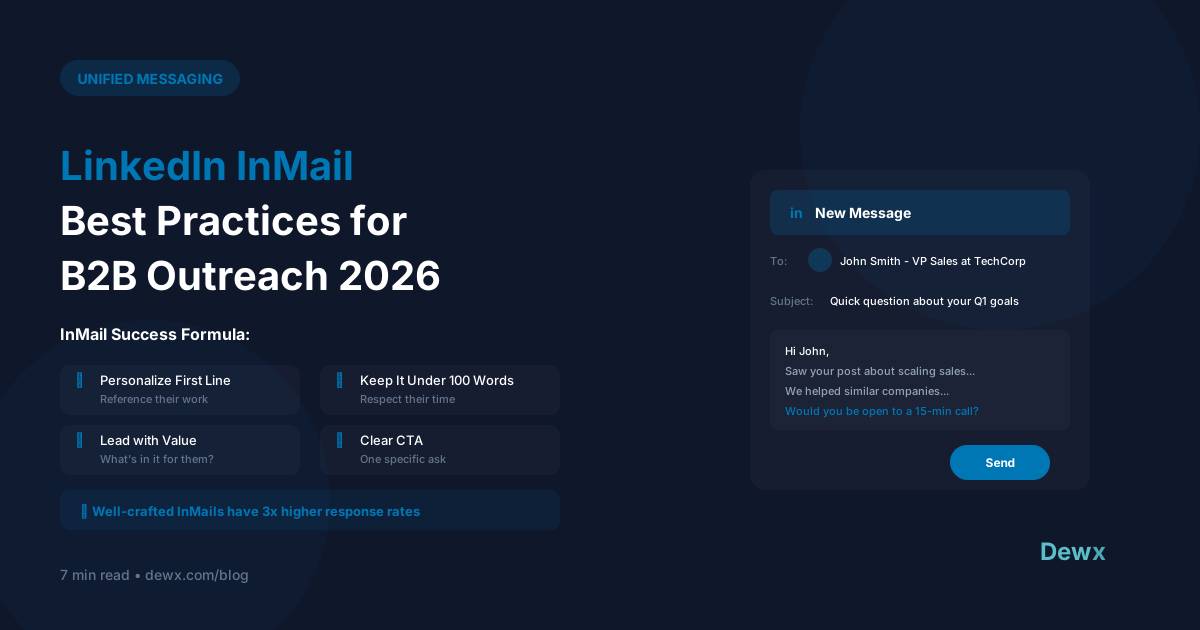
LinkedIn InMail Best Practices for B2B Outreach 2026
LinkedIn InMail is premium outreach. You're paying for every message. Here's how to make each one count.
Why InMail Still Matters in 2026
- 3x higher response rate than cold email
- Direct access to decision-makers
- No gatekeepers to get past
- Professional context already established
The Anatomy of a High-Converting InMail
Subject Line (Critical)
Keep it under 40 characters. Make it personal or intriguing.
Good: "Quick question about [Company]'s growth" Bad: "Business opportunity you don't want to miss"
Opening Line (Hook)
Reference something specific about them:
- Recent post they shared
- Company news or announcement
- Mutual connection or experience
- Their career path
Body (Value)
Lead with what's in it for them. Not your features, their outcomes.
Call to Action (Simple)
One clear ask. Not three options. Not a calendar link AND a question.
InMail Template That Works
"Hi [Name],
Saw your post about [topic]. Spot on about [specific point].
We've been helping [similar role/company] achieve [specific result]. Thought you might find our approach interesting given [their situation].
Worth a quick chat to share what's working? Open to a 15-min call this week.
[Your name]"
Timing Insights for 2026
Best days: Tuesday, Wednesday, Thursday Best times: 8-10 AM (their timezone) or 5-7 PM Avoid: Monday mornings, Friday afternoons, weekends
Tracking and Follow-up
Response Rate Benchmarks
- Below 15%: Rework your approach
- 15-25%: Average performance
- 25-40%: Strong performance
- 40%+: Exceptional
Follow-up Strategy
If no response after 5-7 days, send ONE follow-up:
"Hi [Name],
Following up on my note last week. Totally understand if it's not the right time. Just wanted to make sure it didn't get buried.
[Your name]"
Managing InMail at Scale
The challenge is tracking InMail alongside regular LinkedIn messages, email, and other channels. This is where a unified inbox becomes essential.
Dewx Portal brings all LinkedIn communication, including InMail, into your unified inbox, so you can:
- Track all outreach in one place
- Set follow-up reminders
- Use Dew AI to personalize at scale
- Never lose track of a conversation
- Sync with your CRM and pipeline
For sales teams running multi-channel outreach, check out our guide on LinkedIn automation tools for more advanced strategies.
Frequently Asked Questions
What's a good InMail response rate in 2026?
Industry benchmarks show 15-25% is average, 25-40% is strong, and 40%+ is exceptional. If you're below 15%, your messaging, targeting, or timing needs work. Companies using AI-assisted personalization through platforms like Dewx often see 30-50% improvements over manual outreach.
How many InMails should I send per day?
LinkedIn limits vary by your subscription level, but quality matters more than quantity. Sales Navigator users get 50 InMails/month. Focus on 5-10 highly personalized InMails daily rather than blasting your full quota. Track everything in your unified inbox to measure what works.
Can I automate InMail outreach?
Yes, but carefully. LinkedIn prohibits fully automated mass messaging. However, you can use tools to draft personalized messages, schedule sends, and track responses. Dewx integrates with LinkedIn to help you scale while maintaining personalization.
What's the best time to send InMail?
Data shows Tuesday-Thursday, either 8-10 AM or 5-7 PM in the recipient's timezone. Avoid Monday mornings (inbox overwhelm) and Friday afternoons (weekend mindset). Use scheduling features to queue messages for optimal times.
How do I track InMail performance across my team?
Without a unified system, tracking is manual and error-prone. Dewx's CRM integration automatically logs InMail conversations, tracks response rates, and attributes pipeline to specific outreach sequences. This gives you data to optimize continuously.
Ready to level up your LinkedIn outreach? Try Dewx free and manage all your LinkedIn conversations in one place.


