
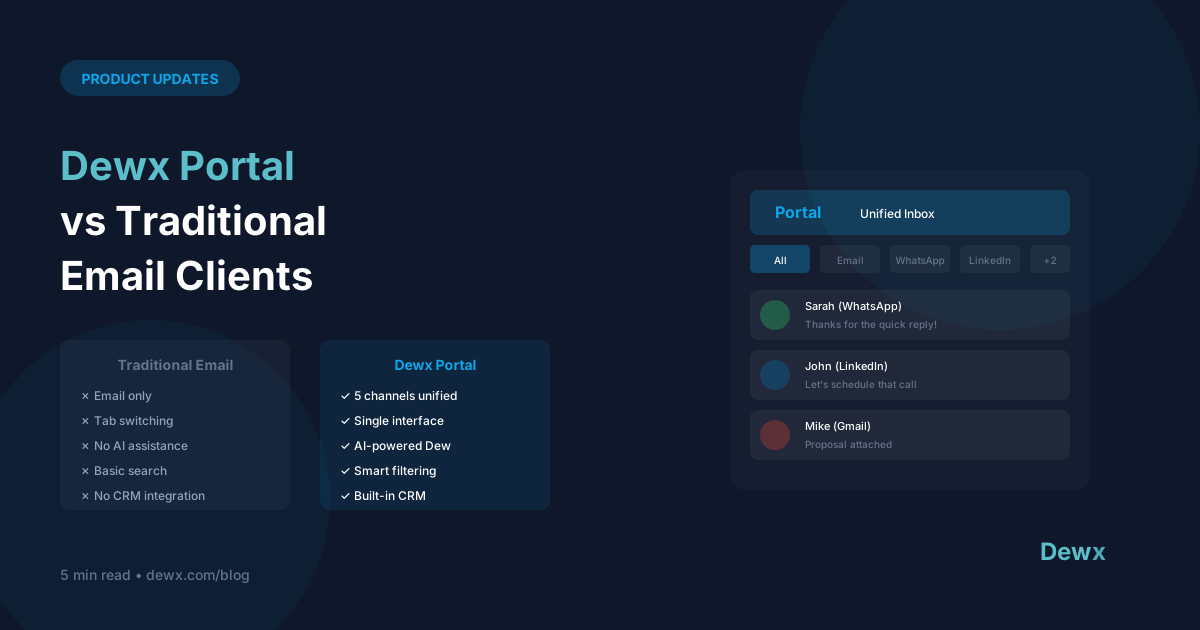
Dewx Portal vs Traditional Email Clients
Dewx Portal isn't just another email client. Here's how it's different.
The Core Difference
Traditional Email Clients: Manage email Dewx Portal: Manage ALL communication
Feature Comparison
| Feature | Gmail/Outlook | Dewx Portal |
|---|---|---|
| ✅ | ✅ | |
| ❌ | ✅ | |
| ❌ | ✅ | |
| ❌ | ✅ | |
| Unified search | Email only | All channels |
| AI drafting | Limited | Full Dew AI |
| CRM integration | Add-ons | Native |
| Contact profiles | Basic | Comprehensive |
When Email Clients Win
Deep Email Features
Gmail and Outlook have decades of email-specific features:
- Advanced filtering rules
- Extensive label/folder systems
- Deep calendar integration
- Massive storage
Enterprise Compliance
For highly regulated industries:
- Legal hold
- eDiscovery
- Compliance archiving
Pure Email Workflows
If you truly only use email:
- Simpler interface
- No extra features to ignore
When Dewx Portal Wins
Multi-Channel Reality
Most businesses use 3+ messaging channels:
- Email for formal communication
- WhatsApp for quick coordination
- LinkedIn for B2B outreach
- Instagram for customer engagement
Portal brings them together.
Context Across Channels
See a contact's full history:
- Email thread from last month
- WhatsApp conversation yesterday
- LinkedIn message from last year
All in one profile.
AI-First Experience
Dew AI is built into every interaction:
- Draft responses with context
- Summarize long threads
- Suggest follow-ups
- Automate routine replies
CRM Without Extra Steps
Every conversation becomes CRM data:
- Contacts auto-created
- Interactions logged
- No manual data entry
The Hybrid Approach
You don't have to choose exclusively. Many users:
- Keep Gmail/Outlook for deep email work
- Use Dewx Portal for unified communication
Portal syncs with your existing email, so nothing is lost.
Real User Scenarios
Agency Owner
Before: Gmail + WhatsApp Business + LinkedIn = 3 apps, 3 inboxes, messages everywhere After: Dewx Portal = 1 inbox, all clients, full context
Consultant
Before: Outlook + WhatsApp + separate CRM = copy-paste, manual logging After: Dewx Portal = automatic logging, AI drafts, unified contacts
Small Business
Before: Gmail + Instagram DMs + missed messages After: Dewx Portal = nothing falls through cracks
Making the Switch
What Transfers:
- All email history syncs
- Contacts import
- Conversation threads preserved
What Changes:
- New unified interface
- AI assistance available
- Cross-channel visibility
What You Keep:
- Your email address
- Your other accounts
- Your data (always exportable)
Try Both
The best way to compare is to experience both:
- Connect your email to Dewx Portal
- Use for a week
- See the difference multi-channel unified inbox makes
Start your comparison. Try Dewx Portal.