
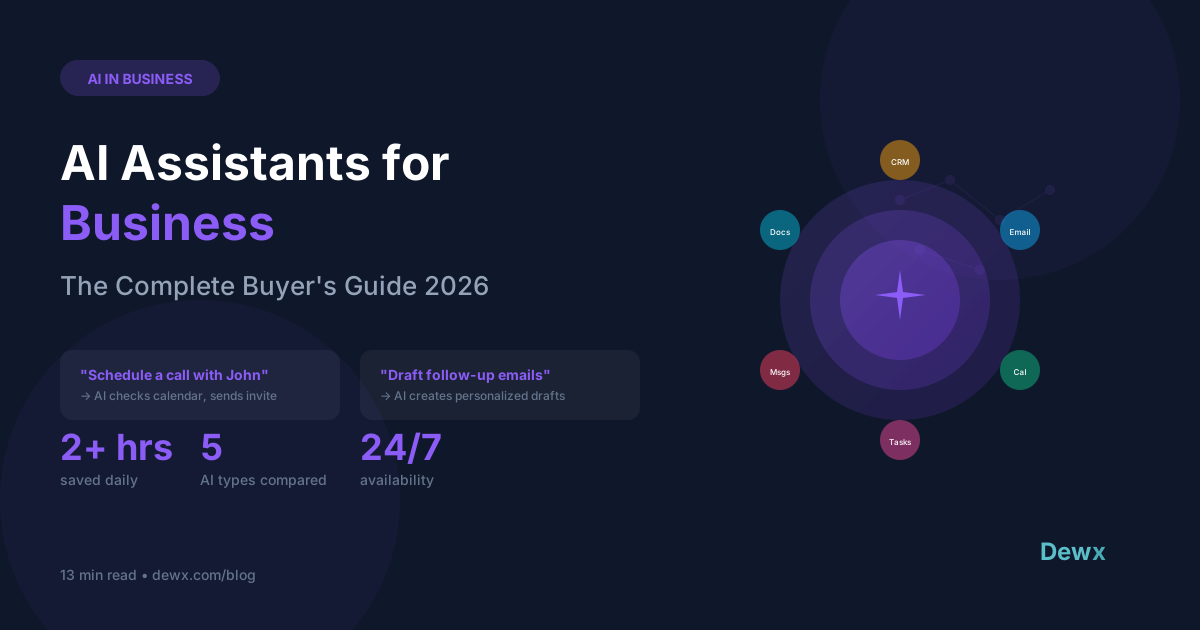
AI Assistants for Business: The Complete Buyer's Guide 2026
An AI assistant for business is software that uses artificial intelligence to automate tasks like scheduling meetings, drafting emails, updating CRM records, and managing follow-ups. Instead of clicking through menus, you tell the AI what you need in plain language, and it executes.
2026 marks a turning point: AI assistants have evolved from novelty to necessity for small businesses looking to compete with larger organizations.
What Business AI Assistants Actually Do
Unlike consumer AI like Siri or Alexa, business AI assistants:
Execute Real Business Tasks
- Schedule meetings across time zones
- Draft and send emails
- Update CRM records
- Create invoices and proposals
- Generate reports
Connect to Business Systems
- CRM (contacts, deals, activities)
- Calendar (availability, scheduling)
- Email (inbox, drafts, sending)
- Messaging (WhatsApp, LinkedIn, etc.)
- Finance (invoices, expenses)
Learn Business Context
- Your communication style
- Customer relationships
- Product/service offerings
- Team preferences
Types of AI Assistants for Business
1. General-Purpose AI (ChatGPT, Claude)
What they do: Answer questions, write content, brainstorm Limitations: No access to your business systems, can't take action Best for: Research, writing, ideation
2. Scheduling AI (Calendly AI, Reclaim)
What they do: Automate meeting scheduling Limitations: Single-purpose, no broader automation Best for: High-volume meeting scheduling
3. Email AI (Superhuman, Shortwave)
What they do: Summarize, draft, and manage email Limitations: Email-only, no cross-channel capability Best for: Email power users
4. CRM AI (Salesforce Einstein, HubSpot AI)
What they do: Lead scoring, activity logging, insights Limitations: Tied to specific CRM, limited task execution Best for: Sales teams in enterprise CRMs
5. Integrated Business AI (DewX Dew)
What they do: Connect all business functions, execute tasks across systems Capabilities: Messaging, CRM, calendar, finance, HR Best for: SMBs wanting unified AI operations
Key Features to Look For
Natural Language Commands
The AI should understand plain English:
- "Schedule a call with John next week"
- "Send a follow-up to everyone from yesterday's calls"
- "What's my pipeline looking like?"
Multi-System Actions
Can it act across different systems?
- Read from email → Update CRM → Schedule meeting
- Check calendar → Send availability → Confirm booking
- Review inbox → Prioritize urgent → Draft responses
Context Awareness
Does it understand your business?
- Customer history and relationship
- Recent interactions across channels
- Deal stage and opportunity value
- Your communication preferences
Security and Permissions
Is it safe to use?
- Data encryption
- Access controls
- Audit logging
- Compliance certifications
Real Business Use Cases
Sales Teams
| Task | Without AI | With AI |
|---|---|---|
| Follow-up emails | 30 min/day | 5 min/day |
| CRM updates | 45 min/day | 0 (automated) |
| Meeting scheduling | 20 min/day | 2 min/day |
| Pipeline review | 30 min/day | 5 min/day |
Time saved: 2+ hours daily
Consultants
- "What meetings do I have this week?" → Instant overview
- "Draft a proposal for Acme Corp" → First draft in seconds
- "Send the contract to Sarah" → Finds file, attaches, sends
Agency Owners
- "Who hasn't responded in 3 days?" → Prioritized follow-up list
- "Summarize this week's client conversations" → Quick briefing
- "Schedule check-ins with all active clients" → Batch scheduling
Small Business Owners
- "What invoices are overdue?" → Instant finance check
- "How did last month compare to this month?" → Quick metrics
- "Draft a response to this complaint" → Thoughtful first draft
How to Evaluate AI Assistants
Evaluation Checklist
1. Integration Depth
- Connects to your existing tools?
- Read AND write access?
- Real-time sync?
2. Task Execution
- Actually performs tasks vs. just suggests?
- Multi-step workflows?
- Error handling?
3. Learning Capability
- Improves with usage?
- Learns your preferences?
- Customizable behaviors?
4. Security
- SOC 2 compliance?
- Encryption standards?
- Data retention policies?
5. Pricing
- Clear per-user or flat pricing?
- Usage limits?
- Feature restrictions?
Red Flags to Watch
- Demo-only AI: Impressive demos but limited real capability
- No system integration: Can't actually access your tools
- Suggestion-only: Tells you what to do but can't do it
- Black-box training: Unclear how your data is used
Top AI Assistants for Business in 2026
DewX Dew
- Type: Integrated Business AI
- Connected to: Unified inbox, CRM, calendar, finance
- Best for: SMBs wanting AI-first operations
- Standout: Conversational commands across all business functions
Microsoft Copilot
- Type: Office Suite AI
- Connected to: Microsoft 365 apps
- Best for: Enterprises on Microsoft stack
- Standout: Deep Office integration
Notion AI
- Type: Workspace AI
- Connected to: Notion docs and databases
- Best for: Knowledge-heavy teams
- Standout: Document intelligence
Salesforce Einstein
- Type: CRM AI
- Connected to: Salesforce CRM
- Best for: Enterprise sales teams
- Standout: Predictive lead scoring
Implementation Strategy
Week 1: Foundation
- Identify highest-value automation opportunities
- Document current manual processes
- Select AI assistant and sign up
Week 2: Integration
- Connect primary systems (CRM, email, calendar)
- Test basic commands
- Configure preferences and permissions
Week 3: Pilot
- Use for specific tasks daily
- Document what works and what doesn't
- Refine prompts and workflows
Week 4+: Expansion
- Add more integrations
- Train team members
- Build custom workflows
Frequently Asked Questions
Will AI replace my employees?
AI assistants augment, not replace, human workers. They handle repetitive tasks so your team can focus on high-value work like relationship building, strategy, and creative problem-solving.
Is my data safe with AI assistants?
Reputable AI assistants use:
- Enterprise-grade encryption
- SOC 2 compliance
- Strict data retention policies
- No use of your data for training (opt-in only)
Always review the privacy policy and data practices.
How accurate are AI assistants?
Modern business AI is highly accurate for structured tasks (scheduling, data entry, lookups). For creative tasks (writing, suggestions), accuracy varies. Always review before sending.
What's the learning curve?
Most users are productive within 1-2 weeks. The key is starting with simple commands and gradually expanding usage.
Conclusion
AI assistants are transforming small business operations. The right AI can save hours daily on scheduling, email, CRM updates, and follow-ups, time better spent on growing your business.
The key is choosing an AI that integrates deeply with your systems, executes real tasks (not just suggestions), and maintains enterprise-grade security.
Ready to meet your AI assistant? Try Dew in the DewX beta, conversational AI for your entire business.
Exploring AI for your business? Follow Roki Hasan on LinkedIn for insights on AI-powered operations.